Showing posts with label fingertapps. Show all posts

Apr 28, 2011

Touch the Music: Drums, Keyboards, and More on NextWindow Touchscreens Featured in Megan Slankard's Music Video, "Sails"

Megan Slankard and her band performing "Sails", from the album "a little extra sun":

"To put its technology to the artistic test, NextWindow introduced Megan Slankard and her band to the freedom of creating music using touch screens. With 13 touch screens manufactured by NextWindow – seven 46-inch screens and six All-in-One desktop touch computers – Megan and her band set out to create a music video with a touch of technology they’ve never utilized before."-NextWindow


For detailed information about the touch screens and music applications shown in the video below, visit the Music on Touch Screens page of NextWindow's website. The website shows a good "behind the scenes" video of the various band members exploring the touch screens used to create the music in the video.


Applications and Hardware
Controller/Mixing/Sequencing: FL Studio software.
Touch screen technology:  NextWindow 2550 Profile Touch, NextWindow 2700 Touch  Overlay, NextWindow 1900 Desktop

This technology would be awesome in K-12 music classes!

Sep 15, 2009

Applications for touch, multi-touch, and gesture interaction: What's Marching to Market?

Every week or so, I hear about a new multi-touch enabled laptop.Today, I came across a review on Gizmodo about the Lenovo ThinkPad T400, which is a 14.1 capacitive touchscreen laptop that can handle four touches at once:

Lenovo ThinkPad T400s with Multitouch Review: Finger Flicking Fun


The Multitouch ThinkPad in Action

Lenovo ThinkPad T400s with Multitouch from Gizmodo on Vimeo.

SCREENSHOT
 http://cache.gawker.com/assets/images/gizmodo/2009/09/SimpleTab.jpg
"The screen is pure beauty. Like a capacitive touchscreen phone, light taps on the display are responsive and you don't have to think about positioning your finger in a certain way to open apps or rearrange windows." - Joanna Stern, Gizmodo, 9/15/09


OTHER EXAMPLES
 
THE FUJITSU LIFEBOOK T5010

Add the Fujitsu LifeBook t5010 to the Windows 7 Multitouch Laptop List
Gizmodo, Joanna Stern, 9/15/09
http://cache.gawker.com/assets/images/gizmodo/2009/09/LifeBook_T5010_multitouch.jpg


DELL LATITUDE XT2
 Dell Latitude XT2 Tablet PC


http://i.dell.com/images/global/products/latit/latit_highlights/laptop-latitude-xt2-overview3.jpg


TOUCH DEMO- HP TOUCHSMART TX2 & WINDOWS 7


AIR HOCKEY FOR WINDOWS 7: IDENTITY MINE


FINGERTAPPS


Want to create something multi-touch?

It looks like there will be a growing need for Windows 7 application developers.  Here's some code examples using Windows Presentation Foundation and the Windows 7 Multitouch API

Windows 7 Multitouch Application Development, Part I (The Code Project: Kunal Chowdhury)


Other Developer Resources

Touchlib Multi-touch Development Kit  (NUI GROUP)

MSDN Windows Touch: Developer Resources

nTrig's Multi-Touch Download for Windows 7

NUITech's Snowflake Suite for NextWindow

TouchKit Multi-touch Development Kit


GestureWorks Flash Multitouch SDK

3M Multi-touch Developer Kit


RELATED
Touch-less Interaction from lm3labs

Create the future you want. with ubiq'window from Nicolas Loeillot on Vimeo.

More about gesture interaction and multi-touch can be found on this blog- do a search!

Apr 22, 2009

Dell Studio One 19 Touch Zone App by Fingertapps: The Video

Here is the video demonstration of Dell Studio One 19 Touch Zone, developed by Fingertapps, a New Zealand software company:


The Dell Studio One with Fingertapp's multi-touch natural user interface software is due for launch soon, according to Ben Wilde and Dave Brebner, of Fingertapps. Here is a link to a recent Engadget article by Paul Miller: Dell demos multitouch on the Studio One 29 (with additional videos)

http://www.fingertapps.com/fingertapps-brand_linear.png

Oct 28, 2008

HP to launch TouchSmart Developer's Kit! via Rich Brown at CNET Crave's Blog

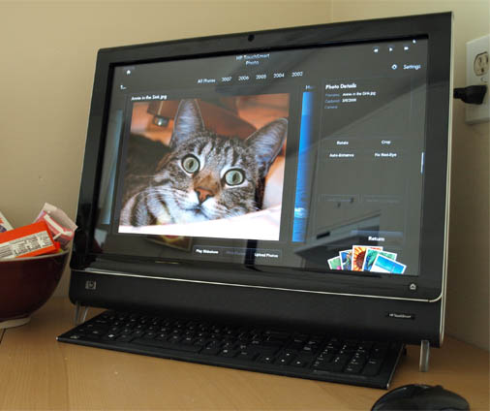
If you follow my blog, you know that I have a TouchSmart, and that I'm a little obsessed about surface-gesture-touch-screen-multi-touch-multi-user computing....

Here is some good news!

http://lh6.ggpht.com/serge.v3/SGPaSZExeLI/AAAAAAAAAkE/t1c9HjUTylI/jpgFFC.png
According to a recent article from Rich Brown's Crave blog (CNET news), programming guidelines for the TouchSmart require developers to be know C# and Windows Presentation Foundation. That's great for me, since I can program in C# and I've been playing with WPF for nearly a year.


Despite what Rich Brown says, I know that the TouchSmart has at least duo-touch capabilities, since the touch-screen technology was provided by NextWindow, and the TouchSmart has been used for multi-touch demos created by FingerTapps. It is possible for the TouchSmart to handle input from multiple mice, too.

Hopefully Windows 7 will make it easier for developers to harness the power of the TouchSmart. I have so many ideas I'd like to see come to fruition.

If you go to the HP website, you can join the HP TouchSmart developer community.

May 29, 2008

Umajin Creative -Digital Story Telling for Interactive Whiteboard or Touch Screen- free demo available


Umajin Creative is an application designed for digital storytelling. I haven't had a chance to preview it. I was impressed with the pictures on the website. If you use this application, please leave a comment. It looks kid and teacher friendly. I can see that it has potential!

According to the website, you can "compose multi-page digital documents with rich text, digital photography (including blue screen support), illustrations, sound, video, 3D models, particle fx, interactive functionality, and so much more... runs on both a Mac and PC. It also supports interactive whiteboards and touch screen PC's.. so you can interact directly with the content. With the HP Touchsmart PC you can use real brushes on the screen..to experience digital painting with variable width brush strokes!

Interactive Digital Storybook:

ebook1.gif
Below: Cool-looking digital brushes.
The image “http://www.umajin.com/slides/album1/images/clip.jpg” cannot be displayed, because it contains errors.
http://www.umajin.com/slides/album1/images/3d.jpg
Above- Sample 3D models
Below- Sample of blue-screened cutout images
http://www.umajin.com/slides/album1/images/cutouts.jpg
Below: Samples of animated particle effects
The image “http://www.umajin.com/slides/album1/images/pfx.jpg” cannot be displayed, because it contains errors.
Seven Custom Functions:

The image “http://www.umajin.com/slides/album1/images/animations.jpg” cannot be displayed, because it contains errors.

I think the people from Fingertapps are responsible for UMAJIN. Below is a video highlighting multi-touch applications: