Showing posts with label access. Show all posts

Jul 27, 2011

Apple's iOS 5 facial recognition feature opens up interactive possibilities

I've been thinking about creating my first iPad app, and as I was searching for information, I came across a few articles related to Apple's new iOS 5 that I found interesting.  


Because my target user group includes young people with autism spectrum disorders (ASD),  I was intrigued by the possibility that the facial recognition APIs might provide a means of assessing mood or emotional states.   Most of us understand that our faces function as mirrors to feelings, and we use our facial expressions to communicate our feelings to others.  Unfortunately, this is a concept that is difficult for young people with ASD to understand.  My hunch is that there is an "app for that".   


I'd love to great to create a little iPad app for young people with ASD for education, intervention, and/or communication activities that incorporates the facial recognition feature!


Apple's iOS facial recognition could lead to Kinect-like interaction
Darrell Etherington, GigaOm/Reuters, 7/27/11
Here is a quote from the above article:
"You could create apps that track a user’s eye movement and dynamically change content accordingly, for instance. App developers might even be able to use data gathered from facial recognition APIs to identify so-called “hotspots,” providing insight about where a user is looking most within an app and arranging content accordingly. In time, an iPhone app might even be able to assess the emotional state of the user, based on whether they’re frowning or smiling, and address the user in a manner appropriate to their mood. It might also be able to tell how engaged users are with mobile ads and content, which might be useful for iAd customers, among others."


Stan Schroeder, Mashable, 7/26/11
Below is a video from from the above post which demonstrates an app developed by Polar Rose, a company that was purchased by Apple.
RELATED
Apple plans native panorama functionality in iOS5
Seth Weintraub, 9TO5Mac, 7/8/11
iOS 5's final release may include "Assistant" speech-to-text feature
Chris Rawson, TUAW, 7/23/11

Feb 24, 2011

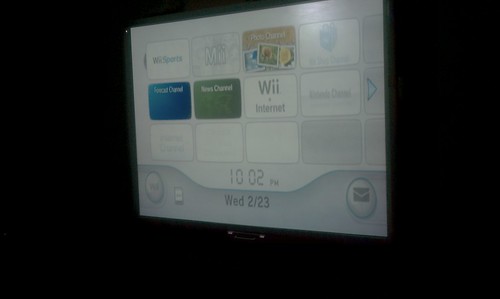
Today I hooked up a Wii to the IWB in the school's therapy room. Next - a Kinect?! (Angels are welcome to help us expand the school's "games" programs for students with special needs)


Today, I hooked up our school's Wii to the newly-installed IWB in the therapy room for the first time, and used it during a session for for a social-skills activity with two students who have autism spectrum disorders.  The students helped each other to create their own "Mii" avatars.  I had them play the bowling game, and was impressed how this activity elicited social conversation between the students, with minimal effort on my part.

Most of students in the program at Wolfe are in grades 6-12. They have cognitive, language, and motor delays.  A good number of the students also have autism spectrum disorders. Some have multiple special needs.

We have found that when our students are provided with interactive activities displayed on the large screen of an IWB, they tend to increase their level of attention to their peers and also communicate more with one-another, as well as with the teachers and staff.

By using an IWB for games at school, we are extending the reach of how this technology can be used with students who have more complex special needs.   By providing a means  for our students to learn to play positive games, we help them develop important physical, social, and leisure skills that they can use outside the school setting with non-disabled peers and siblings.  My hunch is that the games will also help promote cognitive/problem solving skills, too.

NOTE:
The funds to purchase the Wii were donated to our school, but did not cover additional games or accessories. We'd like to purchase Rock Band and Wii Fit. We'd also like to expand our program and purchase an Xbox with a Kinect.   An iPad or two would be OK, too : )

If there are any angels out there who'd like to donate funds for our "games" program at Wolfe, please contact me through my Google profile. I will connect you with the appropriate person.

Game designer/developers/researchers/students:
If you are interested in volunteering your efforts to work on a basic cooperative, pro-social game for the Kinect, SMARTTable, or interactive whiteboard, please contact me.


Nov 2, 2010

EyeTube for YouTube! Eye-gaze interaction software, free and downloadable from GazeGroup

Gaze interaction systems provide access to computers and the rich content now available on the web for many people with disabilities.  Unfortunately, commercial gaze tracking systems are very expensive and at times, difficult to calibrate.  There is hope!


Following up on my recent post, "Open-source Eye-tracking: The ITU Gaze Tracker 2.0 Beta", I thought I'd share the GazeGroup's EyeTube for YouTube interface.  


What is great about EyeTube for YouTube is that it provides two different interfaces. The simplified version looks good for younger children or people with cognitive disorders, and is icon-based.  The second version is appropriate for people who can navigate through more complex visual representations of content. 


EyeTube requires a Windows-based system and .Net 3.5 at this time. It can be downloaded from the GazeGroup website.  If you plan to download the application, you must also make sure you have a YouTube account. To get the application up and running, you'll need to change the settings (EyeTubeSettings.xml) to match your account.   (If you don't know much about changing settings or xml, ask someone you know who works in IT.)


Below is the icon-based version of the eye-gaze interface for YouTube:
EyeTube - Gaze Interaction for YouTube (simplified version)


Feature-rich version of the EyeTube interface for YouTube:
EyeTube - Gaze Interaction for YouTube

From the GazeGroup site:

"The EyeTube prototype offers a feature rich eye controlled interface for the popular YouTube service. Instead of emulating a mouse pointer and interacting with a web browser the EyeTube interface is especially designed to be driven by gaze input. It offers a wide range of features such as keyword searching, popular video feeds, favorites and social aspects such as subscriptions, friends and commenting on videos.The highly optimized interfaces allows for a streamline interaction which is aleviated from the Midas Touch problem. In most previous gaze interfaces selection is made by a dwell time activator, e.g fixat a button for a specific amount of time and it will execute the function. In the EyeTube interface a fixation on a U.I element will highlight it and a second fixation on the activation button is required to execute the function. This removes the stress of having to constantly move the eyes to avoid unintentional activation."
"The EyeTube also exists in another simplified incarnation developed for users whom are distracted by a larger number of options. It supports basic features such as browsing categories, optional keyword searching and favorites."

RELATED
The GazeGroup
(The individuals mentioned below may be currently working elsewhere, but involved in the gaze research in some way.)

GazeGroup Research Areas

COGAIN (Communication by Gaze Interaction)

ACM CHI Conference Articles
San Agustin, J., Skovsgaard, H., Hansen, J. P., and Hansen, D. W. 2009. Low-cost gaze interaction: ready to deliver the promises. In Proceedings of the 27th international Conference Extended Abstracts on Human Factors in Computing Systems (Boston, MA, USA, April 04 - 09, 2009). CHI EA '09. ACM, New York, NY, 4453-4458. DOI= http://doi.acm.org/10.1145/1520340.1520682
San Agustin, J., Hansen, J. P., Hansen, D. W., and Skovsgaard, H. 2009. Low-cost gaze pointing and EMG clicking. In Proceedings of the 27th international Conference Extended Abstracts on Human Factors in Computing Systems (Boston, MA, USA, April 04 - 09, 2009). CHI EA '09. ACM, New York, NY, 3247-3252. DOI= http://doi.acm.org/10.1145/1520340.1520466 
Tall, M., Alapetite, A., San Agustin, J., Skovsgaard, H. H., Hansen, J. P., Hansen, D. W., and Møllenbach, E. 2009. Gaze-controlled driving. InProceedings of the 27th international Conference Extended Abstracts on Human Factors in Computing Systems (Boston, MA, USA, April 04 - 09, 2009). CHI EA '09. ACM, New York, NY, 4387-4392. DOI= http://doi.acm.org/10.1145/1520340.1520671

UPDATE

Eye-controlled games and leisure applications from the COGAIN wiki: http://www.cogain.org/wiki/Leisure_Applications
  • EyeArt - EyeArt eye-drawing program, developed by Andre Meyer and Markus Dittmar, Technical University of Dresden, Applied Cognitive Research Unit, Germany.
  • GazeTrain - Gaze-controlled action oriented puzzle game, developed by Lasse Farnung Laursen, Technical University of Denmark
  • Puzzle - Simple puzzle game that can be played with eye movements, developed by Vytautas Vysniauskas, Siauliai University, Lithuania
  • Road to Santiago - Gaze-controlled adventure game (full game), developed by Javier Hernandez Sanchiz, Universidad Publica de Navarra, Spain
  • Snap Clutch - An application that uses eye gaze data to generate key and mouse events for playing games such as World of Warcraft and Second Life.
  • ASE: Accessible Surfing Extension for Firefox - Follow this link to access ASE, an Accessible Surfing Extension for Firefox, developed by Emiliano Castellina and Fulvio Corno at Politecnico di Torino. (Note that this is a beta version.)
  • Eye Gaze Music (SAW Selection Sets) - Point and Play – eye gaze (direct pointing) musical activities, developed by DART. Please note that SAW (Special Access to Windows) framework application is needed to play these 15 music selection sets. SAW is available for free athttp://www.oatsoft.org/Software/SpecialAccessToWindows
  • EyeTube - Gaze interaction for YouTube - Follow this link to get more information and download EyeTube at ITU GazeGroup's web pages
  • Eye3D and other head eye mouse software - Eye3D for education, and a collection of links to free software that works with head or eye mouse. Includes links to downloads and original sites.
  • Gaze-controlled Breakout - Follow this link to access a modified version of the LBreakout2 game which can be operated by an SMI eye tracker, developed by Michael Dorr et al. at University of Luebeck
  • Oleg Spakov's Freeware games for MyTobii - Follow this link to access MyTobii compatible games developed by Oleg Spakov, University of Tampere, Finland
  • Free ITU Gaze Tracker and applications - Download a webcam based open-source gaze tracker and several applications that work with it, developed at IT University of Copenhagen
  • GameBase - Check out the Eye-Gaze Games category at the SpecialEffect GameBase!
  • More information about Gaze-Controlled Games - Follow this link to see a list of online information resources on using gaze for the control of games and other leisure applications

Oct 16, 2009

IDPedia: Interaction Design Patterns for Games Library!


From the HelpYouPlay IDPedia (Interaction Design Patterns for Games Library) website:


"Design patterns are ways to describe best practices, explain good designs, and capture experience so that other people can reuse these solutions. The idea of a pattern was introduced by the architect Christopher Alexander for use in urban planning and building architecture, but since then a pattern community has emerged that specifies patterns for all sorts of problems. Interaction design patterns aim to capture optimal solutions to common usability or accessibility problems in a specific context. Typically best practices concerning interaction design are described as guidelines or heuristics. We consider interaction design patterns to be more descriptive than guidelines as it tells a designer exactly when, how and why the solution can be applied." 

Thanks, Barrie Ellis (One-Switch Games) for the link!


SOMEWHAT RELATED
Game Usability and Accessibility
Donate to the AbleGamers Fundraiser!
The funds will support the work of the AbleGamers Foundation, and donations are tax-deductible.

"The AbleGamers Foundation's mission is to empower the disabled population to enjoy the digital revolution that is taking place in gaming... We believe in harnessing the power of many people's voices to solve the problems of the not so few. The AbleGamers Foundation strives to bring together individuals from every lifestyle with a common goal of improving the lives of the disabled. Everyone has the right to enjoy the world, and together, we can make that possible. Together, we can make it possible for everyone to enjoy the rich content of digital entertainment with his or her friends and family regardless of disability."

Eelke Folmer's Human-Computer Interaction Research

Usability Patterns in Games (pdf)
Accessibility in Games and Virtual Worlds
Interaction Design Patterns

Eelke Folmer's presentation at the 2009 Games 4 Health Conference, Boston
Game Accessibility WorkshopG4H: game accessibility research @ University of Nevada, Reno
View more presentations from eelke folmer.

Jun 30, 2007

Novint Falcon Haptic Controller video -

My Novint Falcon haptic controller arrived the other day! What is a haptic controller? Watch the video...

( I purchased the controller to work on games for young people who are visually impaired.)

Oct 1, 2006

Game Accessibility: Universal Design and Access for Gaming (and Interactive Applications)

A growing number of educators are incorporating the use of interactive multimedia applications, including games, in learning settings. More educators are aware of the principles of Universal Design for Learning, developed by the great people at CAST.

Unfortunately, many multimedia applications, as well as computer and console games, are not designed to facilitate access for a significant number of people. People with vision, hearing, or motor disabilities have few options available to them for playing games. People who have color-blindness, attention/memory problems, auditory processing difficulties, and/or slower visual-motor responses also face barriers when they use multimedia applications and games.

There are people who are working hard to make game technology more accessible.

The International Game Developers Association has a Game Accessibility SIG has a wiki that contains links to a variety of game access projects.

The following is a partial list of links related to game accessibility:

IDGA Game Accessibility SIG

Game Accessibility.Com

Game Accessibility Games (links to information categorized by visual, auditory, physical, and learning disabilities)

Game Access Resources and Research

Audio Games

OneSwitch

Switch Gaming

SymbolWorld