Showing posts with label comparison. Show all posts
Showing posts with label comparison. Show all posts
Nov 21, 2012
Nov 3, 2012
iPad3 and iPad Mini: Hands-on Side-by Side Comparison Video, by Eric Sailers (quick post)
Here is a good side-by-side "hands-on" comparison of the new iPad3 and the new iPad Mini by Eric Sailers:
Eric Sailers is a speech and language pathologist who has co-created apps for iOS devices since 2009. His website has a wealth of information iOS devices and apps for education, especially for children with special needs.
Labels:
Apple,
comparison,
demo,
education,
eric sailers,
iOS,
ipad,
iPad Mini,
iPad3,
language,
mini,
mobile,
resources,
special needs,
speech,
tablet,
tablet computing,
technology,
touch screen,
video

 No comments:
No comments:
Jan 21, 2010
Ideum's GestureWorks vs Adobe AIR 2 and Flash Player 1.0 comparison of multitouch and gesture support
Jim Spadaccini, of Ideum, shared information about his company's product, Gestureworks, highlighting how it provides better multi-touch and gesture support than Adobe AIR2 and Flash Player 10.1. Gestureworks supports multiple-point drag, rotate, and scale at the same time. In the video, the application is demonstrated on an HP Touchsmart 600 and a 3M multitouch screen.
Adobe AIR 2 and Flash Player 10.1 vs Gestureworks 1.0: A direct comparison of multitouch and gesture support
"A direct comparison between the built-in support for multitouch found in Adobe Flash Player 10.1 beta / Adobe AIR 2 and that of the Gestureworks multitouch framework for Flash. More about this comparison can be found on the Gestureworks website (http://www.gestureworks.com) and the Ideum website (http://www.ideum.com) There is a blog post with more about this comparison and links to all of the example files at: www.ideum.com/2010/01/true-multitouch-wi th-adobe-flash/ "
True Multitouch with Adobe Flash - Jim Spadaccini
GestureWorks Supported Gestures
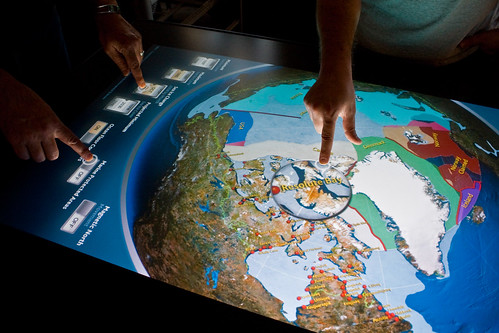
Example of Ideum's GestureWorks multi-touch, multi-user design for an exhibit a the Vancouver Aquarium:
Adobe AIR 2 and Flash Player 10.1 vs Gestureworks 1.0: A direct comparison of multitouch and gesture support
"A direct comparison between the built-in support for multitouch found in Adobe Flash Player 10.1 beta / Adobe AIR 2 and that of the Gestureworks multitouch framework for Flash. More about this comparison can be found on the Gestureworks website (http://www.gestureworks.com) and the Ideum website (http://www.ideum.com) There is a blog post with more about this comparison and links to all of the example files at: www.ideum.com/2010/01/true-multitouch-wi th-adobe-flash/ "
True Multitouch with Adobe Flash - Jim Spadaccini
GestureWorks Supported Gestures
Example of Ideum's GestureWorks multi-touch, multi-user design for an exhibit a the Vancouver Aquarium:
Mar 13, 2009
User Interface and Digital Cameras: Gizmodo's Detailed Visual Tour; PMA 2009

I just love it when someone takes the time to do a detailed review of a broad spectrum of user interfaces, with loads of comments and pics. Matt Buchanan, of Gizmodo, has done so in his recent post, Click: A Visual Tour of Camera Interfaces. Matt has a nice section dedicated to cameras with touchscreen user interfaces, with all of the touch-screen pictures in one spot. He liked the Sony camera touch screen UI the best.
I liked one of the comments to Matt's post:
"Yeah, but when will they come out with a UI that my grandmother can use on her own without calling me every d--- time she wants to know how to turn on the camera and take a picture?"
-someoneUKno
Someday.
Subscribe to:
Posts (Atom)