One of the schools I serve as a school psychologist will be getting a SMARTTable. We've decided to enter the SMART Table multi-touch application contest, which means that we'll have to put our ideas into action soon, July 1st, to be exact. (We will be working on this project after work hours.)
The purpose of this post is to provide a spot to keep videos related to the SMARTTable, as well as other multi-touch tables used with students, so team members watch the table in action. (I will move this content to a special website for this project when I get a moment!)
Our school recently received about 8 SMARTBoards, and since every classroom is geared for students with severe disabilities, including autism, I thought I'd share the following video first. The students have started to work cooperatively and have begun to develop more communication skills:
SMARTBOARD AND STUDENTS WITH SEVERE DISABILITIES
(The teacher in this video uses theZACH browser, designed for students with autism, to help them independently navigate to interactive websites. The Zac browser can be navigated with a Wii remote controller, too.)
SMARTTable- Engaged Students from Davie County
ALIVE OR NOT ALIVE
ANIMAL NEEDS:
ADDITION AND SUBTRACTION
1MORE, 1 LESS
"In this table activity 1 More, 1 Less students work on a series of touch exercises in the tables Multiple Choice, Hot Spaces and Hot Spots applications where they can practice simple addition and subtraction."
WHAT IS REAL ABOUT PLANTS AND ANIMALS?
ALPHABET
"In this table activity Alphabet students work on a series of touch exercises in the tables Multiple Choice and Hot Spots applications where they can learn about different letters of the alphabet."
HOW-TO VIDEOS FOR THE SMART TABLE
Adding background images from SMART Notebook using Windows XP
SMARTTable Toolkit: Adding background images from SMART Notebook using MAC OSX
Showing posts with label SMART Table. Show all posts
Showing posts with label SMART Table. Show all posts
Feb 20, 2010
Jan 26, 2010
There is a need for multi-touch/gesture designers/developers!
If you are a talented interactive web designer/developer, game designer/developer, traditional programmer with a creative bent, or someone who who is thinking about working with technology in the future as a programmer or designer, I urge you to consider thinking about designing/developing multi-touch applications in the near future.
In my opinion, there will be a need for multi-touch web applications as well as for multi-touch education and collaboration applications for the SMART Table, Microsoft's Surface, multi-touch tablets like the rumored iTablet from Apple, and the multi-touch laptops and all-in-ones (Dell, HP, etc.).
Below are direct links to some of my blog posts related to multi-touch applications and screens. If you are fairly new to multi-touch, I'm sure that looking through some of my blog posts will be helpful. All of the posts have links to resources, and most have photos and video clips of multi-touch in action.
If you are new to this blog, I have a great deal of information, links, photos, and video clips of various multi-touch screens and applications. The best way to find the stuff is to enter in a keyword in the search box for this blog: multitouch, touch screen, gesture, multi-touch, etc. on this blog.
Also do a search on my other blog: The World Is My Interface http://tshwi.blogspot.com
Here are some links:
Do you have an HP TouchSmart, Dell Studio One or NextWindow touch-screen? NUITech's Snowflake Suite upgrade provides a multi-touch plug-in
http://bit.ly/5tdlhc
The following blog post has a video clip that shows someone from Adobe painting with a multi-touch application in development:
More Multi-Touch!: Rumor of the mobile apple iTablet; AdobeXD & Multitouch; 10-finger Mobile Multitouch: http://bit.ly/4S9Upm
Ideum's GestureWorks: http://bit.ly/4C1p7M
Interactive Walls, Interactive Projection Systems, GestureTek's Motion-Based Games: http://bit.ly/6GRGtW
Intuilab's Interfaces: Multi-touch applications/solutions for presentations, collaboration, GIS, and commerce: http://bit.ly/7RK7qN
For software developers:
How to do Multitouch with WPF 4 in Visual Studio 2010: http://bit.ly/7c4YqC
In my opinion, there will be a need for multi-touch web applications as well as for multi-touch education and collaboration applications for the SMART Table, Microsoft's Surface, multi-touch tablets like the rumored iTablet from Apple, and the multi-touch laptops and all-in-ones (Dell, HP, etc.).
Below are direct links to some of my blog posts related to multi-touch applications and screens. If you are fairly new to multi-touch, I'm sure that looking through some of my blog posts will be helpful. All of the posts have links to resources, and most have photos and video clips of multi-touch in action.
If you are new to this blog, I have a great deal of information, links, photos, and video clips of various multi-touch screens and applications. The best way to find the stuff is to enter in a keyword in the search box for this blog: multitouch, touch screen, gesture, multi-touch, etc. on this blog.
Also do a search on my other blog: The World Is My Interface http://tshwi.blogspot.com
Here are some links:
Do you have an HP TouchSmart, Dell Studio One or NextWindow touch-screen? NUITech's Snowflake Suite upgrade provides a multi-touch plug-in
http://bit.ly/5tdlhc
The following blog post has a video clip that shows someone from Adobe painting with a multi-touch application in development:
More Multi-Touch!: Rumor of the mobile apple iTablet; AdobeXD & Multitouch; 10-finger Mobile Multitouch: http://bit.ly/4S9Upm
Ideum's GestureWorks: http://bit.ly/4C1p7M
Interactive Walls, Interactive Projection Systems, GestureTek's Motion-Based Games: http://bit.ly/6GRGtW
Intuilab's Interfaces: Multi-touch applications/solutions for presentations, collaboration, GIS, and commerce: http://bit.ly/7RK7qN
For software developers:
How to do Multitouch with WPF 4 in Visual Studio 2010: http://bit.ly/7c4YqC
Jan 20, 2010
SMART Technologies Multitouch Application Contest Announced!
The SMART Multitouch Application Contest was recently announced. The SMART Table is a multitouch, multiuser interactive learning center designed for early education which supports hands-on collaborative play and learning activities. I think that this would be a great project for an after-school technology club at a high school.
If you haven't seen a SMART Table, the following videos will give you an idea of what they are all about:
The SMART Table in a multi-age Montessori classroom at an elementary school:
Video from 2008 about the SMART Table:
Below is information about the contest prizes from the SMART Technologies website:
If you haven't seen a SMART Table, the following videos will give you an idea of what they are all about:
The SMART Table in a multi-age Montessori classroom at an elementary school:
Video from 2008 about the SMART Table:
Below is information about the contest prizes from the SMART Technologies website:
- Grand prize – One SMART Table, valued at US$6,499. Plus, the winning application will be promoted on the SMART website for one year, providing you with the opportunity to establish a revenue stream if users purchase your application.
- First runner-up – The second-place application will be promoted on the SMART website for one year.
- Second runner-up – The third-place application will be promoted on the SMART website for six months
RELATED
Here you can review the contest guidelines, terms and conditions, review the FAQ's and find out how to enter the contest. There are two categories. The Commercial category is for professional and amateur developers, and the Academic is for students and educators affiliated with an educational institution.
Jan 14, 2010
Shared computing with Windows MultiPoint in classrooms: Why not use Mouse Mischief (beta version)?
I came across this post this on Long Zheng's I Started Something blog:
Windows MultiPoint Server -- a multiseat computing solution worthy for the home?
Long Zheng points out that Window's MultiPoint server is an outgrowth of the Multi-Mouse project, in which students multiple numbers of students can work together to interact with content a PC screen or a projected PC screen.
The picture below shows how a Windows MultiPoint server can work in a classroom.

-Microsoft
I'm not so sure I like the set up in the picture of the Multi-Point 2010 system in the above picture. The students all have huge monitors in front of them, so the opportunities for shared or collaborative interaction are limited. I like the multi-mice concept better, since the children can really be together
Mouse Mischief
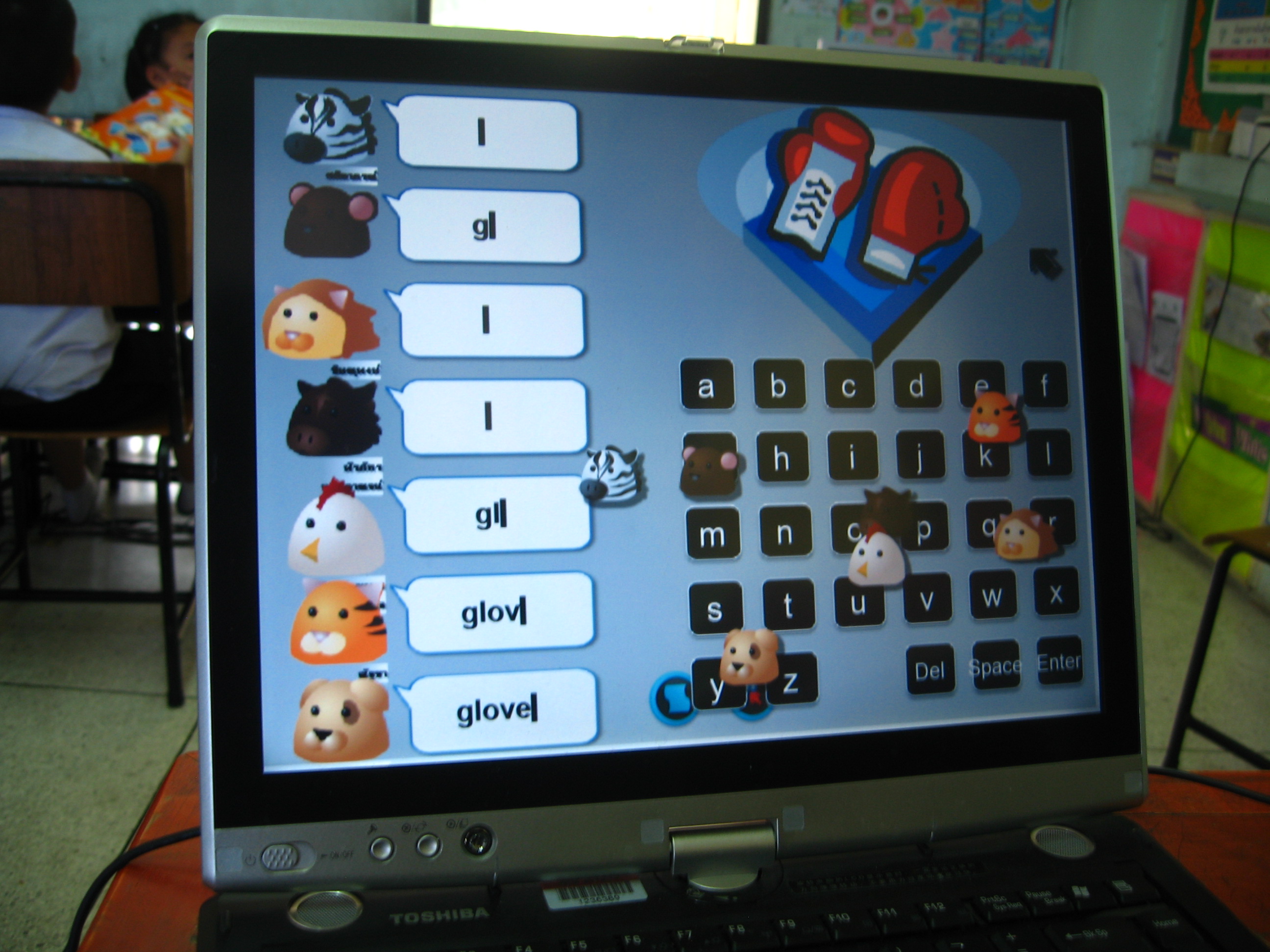
I tried this with a few students during the 2008-09 school year, and they liked it. Since I serve more schools this current year, I haven't had the opportunity to explore this further. I plan to download a newer version and try it out soon.
Good news!
The free beta version of Microsoft Mouse Mischief from the Microsoft website was recently released: Microsoft Mouse Mischief: Make your PowerPoint presentations interactive
Below is information about Mouse Mischief from the Microsoft website:
"Mouse Mischief is a tool that Microsoft makes available free of charge, and that allows teachers to work with Microsoft Office PowerPoint to make interactive presentations. With Mouse Mischief, teachers can add multiple choice questions to their presentations, and large groups of students can answer the questions using mice connected to the teacher’s PC."
"Mouse Mischief not only gives students the ability to engage, have fun, and learn in new, interactive ways, but it also provides teachers with a more affordable alternative to purchasing expensive student response systems, commonly known as clickers, by letting students use affordable wired or wireless USB mice that their school already own."
If you are interested in developing applications for Mouse Mischief, you can download Windows MultiPoint Software Development Kit 1.5 This kit allows developers to enable up to 25 mouse devices to work at the same time on one computer. It was released on 1/12/2010 and can be downloaded from the Microsoft website.
Here a plug from Microsoft about the benefits of the MultiPoint Mouse SDK:
"Applications built on the MultiPoint Mouse SDK can provide teachers with tools to gain real-time assessment information to help them provide a personalized learning experience for each of their students...Applications built on the MultiPoint Mouse SDK can increase student learning comprehension through interactive methods.MultiPoint Mouse applications can further a student’s engagement, collaboration, interaction and overall cognitive and social skills within a classroom or lab environment."
Here is the information about the MultiPoint SDK:
"The Windows MultiPoint Mouse SDK version 1.5 is a development framework that allows developers to build applications that enable up to 25 individual mouse devices to work simultaneously on one computer. As a developer, you can use the MultiPoint Mouse SDK to create educational applications that take advantage of collaborative learning methodologies. In schools with minimum infrastructure, MultiPoint Mouse greatly enhances the shared computing experience. Initial pilot programs conducted in India by Microsoft Research show that for certain subjects, MultiPoint Mouse can enhance learning when compared to a 1:1 computing scenario."
"MultiPoint Mouse should not be confused with applications that allow multiple people to control multiple mouse devices to perform standard operations. In those cases, the system traditionally cannot identify which mouse has made which changes, and there is normally no option for controlling the permissions of the various devices. MultiPoint Mouse is a development framework that enables developers to build applications to take advantage of multiple mouse devices, including the ability to handle mouse clicks from different users independently and to assign different permissions to each mouse. For example, the mouse belonging to a teacher in a learning application might need additional permissions to control the activity."
The MultiPoint SDK is compatible with Windows 7, Windows Vista Service Pack 2, Windows XP Service Pack 3, the .NET Framework version 3.5 SP1 or higher, Microsoft Expression Blend (you can use the trial version), Visual Studio 2008 or 2010 (you can use the free Express version), 2-4 mice devices for testing, and USB ports on the computer
Other thoughts:
Schools with money for advanced technology tools have purchased SMARTTables, and few have Microsoft Surface tables. They are expensive, and don't offer a range of form factors to choose from.
I sort of like the concept behind the multi-user poker table that was in the casino on my cruse ship:

Near the poker table is a display that shows the action from the poker game. In classroom settings, this display could be an interactive whiteboard, a projected display, or even a flat-panel screen.

There is a need for tables of different shapes in the schools. Speech pathologists, school psychologists, counselors, and others who provide guided group activities in the schools could use a multi-user table that follows this tried and true configuration:

I'd love to hear from anyone who is using MultiPoint or Mouse Mischief, and also from anyone who is experimenting with various multi-touch table form factors.
Related:
Multple Mice for Computers in Education in Developing Countries (pdf)
Windows MultiPoint Server -- a multiseat computing solution worthy for the home?
Long Zheng points out that Window's MultiPoint server is an outgrowth of the Multi-Mouse project, in which students multiple numbers of students can work together to interact with content a PC screen or a projected PC screen.
The picture below shows how a Windows MultiPoint server can work in a classroom.
-Microsoft
I'm not so sure I like the set up in the picture of the Multi-Point 2010 system in the above picture. The students all have huge monitors in front of them, so the opportunities for shared or collaborative interaction are limited. I like the multi-mice concept better, since the children can really be together
Mouse Mischief
Neema Moraveji, of the Stanford University HCI group, has videos and information about the multiple mice-related work on his project Page:
Teachers provide content using an add-on for PowerPoint that allows for simultaneous input from multiple mice. The teacher can set up limits regarding how the mice are used by the students.
I tried this with a few students during the 2008-09 school year, and they liked it. Since I serve more schools this current year, I haven't had the opportunity to explore this further. I plan to download a newer version and try it out soon.
Good news!
The free beta version of Microsoft Mouse Mischief from the Microsoft website was recently released: Microsoft Mouse Mischief: Make your PowerPoint presentations interactive
Below is information about Mouse Mischief from the Microsoft website:
"Mouse Mischief is a tool that Microsoft makes available free of charge, and that allows teachers to work with Microsoft Office PowerPoint to make interactive presentations. With Mouse Mischief, teachers can add multiple choice questions to their presentations, and large groups of students can answer the questions using mice connected to the teacher’s PC."
"Mouse Mischief not only gives students the ability to engage, have fun, and learn in new, interactive ways, but it also provides teachers with a more affordable alternative to purchasing expensive student response systems, commonly known as clickers, by letting students use affordable wired or wireless USB mice that their school already own."
"It’s simple. After Mouse Mischief is installed, the Mouse Mischief toolbar will appear as part of the PowerPoint ribbon when a new or old PowerPoint presentation is opened. This intuitive Mouse Mischief toolbar lets teachers add interactive elements such as multiple-choice question slides with a single click. When the teacher opens a Mouse Mischief enabled presentation, students in the classroom can answer each question by clicking it with their uniquely designed mouse cursor. Once the students have selected their answers, the teacher can display the correct answer...The best part? Mouse Mischief gives teachers the option to have their students answer questions individually or as part of a team, in order to encourage both competition and collaboration in the classroom...Special teacher controls allow the teacher to disable student’s mouse cursors, navigate between slides, set timers, and more. With Mouse Mischief the teacher is always in control, whether there are two or 25 cursors on the screen."
If you are interested in developing applications for Mouse Mischief, you can download Windows MultiPoint Software Development Kit 1.5 This kit allows developers to enable up to 25 mouse devices to work at the same time on one computer. It was released on 1/12/2010 and can be downloaded from the Microsoft website.
Here a plug from Microsoft about the benefits of the MultiPoint Mouse SDK:
"Applications built on the MultiPoint Mouse SDK can provide teachers with tools to gain real-time assessment information to help them provide a personalized learning experience for each of their students...Applications built on the MultiPoint Mouse SDK can increase student learning comprehension through interactive methods.MultiPoint Mouse applications can further a student’s engagement, collaboration, interaction and overall cognitive and social skills within a classroom or lab environment."
Here is the information about the MultiPoint SDK:
"The Windows MultiPoint Mouse SDK version 1.5 is a development framework that allows developers to build applications that enable up to 25 individual mouse devices to work simultaneously on one computer. As a developer, you can use the MultiPoint Mouse SDK to create educational applications that take advantage of collaborative learning methodologies. In schools with minimum infrastructure, MultiPoint Mouse greatly enhances the shared computing experience. Initial pilot programs conducted in India by Microsoft Research show that for certain subjects, MultiPoint Mouse can enhance learning when compared to a 1:1 computing scenario."
"MultiPoint Mouse should not be confused with applications that allow multiple people to control multiple mouse devices to perform standard operations. In those cases, the system traditionally cannot identify which mouse has made which changes, and there is normally no option for controlling the permissions of the various devices. MultiPoint Mouse is a development framework that enables developers to build applications to take advantage of multiple mouse devices, including the ability to handle mouse clicks from different users independently and to assign different permissions to each mouse. For example, the mouse belonging to a teacher in a learning application might need additional permissions to control the activity."
The MultiPoint SDK is compatible with Windows 7, Windows Vista Service Pack 2, Windows XP Service Pack 3, the .NET Framework version 3.5 SP1 or higher, Microsoft Expression Blend (you can use the trial version), Visual Studio 2008 or 2010 (you can use the free Express version), 2-4 mice devices for testing, and USB ports on the computer
Other thoughts:
Schools with money for advanced technology tools have purchased SMARTTables, and few have Microsoft Surface tables. They are expensive, and don't offer a range of form factors to choose from.
I sort of like the concept behind the multi-user poker table that was in the casino on my cruse ship:

Near the poker table is a display that shows the action from the poker game. In classroom settings, this display could be an interactive whiteboard, a projected display, or even a flat-panel screen.
There is a need for tables of different shapes in the schools. Speech pathologists, school psychologists, counselors, and others who provide guided group activities in the schools could use a multi-user table that follows this tried and true configuration:
I'd love to hear from anyone who is using MultiPoint or Mouse Mischief, and also from anyone who is experimenting with various multi-touch table form factors.
Related:
Multple Mice for Computers in Education in Developing Countries (pdf)
Nov 21, 2009
"Image Reveal" application for the SMART Table, by Vectorform.
The SMART Table from Smart Technologies now features the Image Reveal application, created by Vectorform, that supports multi-touch, multi-user collaborative learning activities for children. The Image Reveal is the first third-party application published for the SMART Table, and is available for free from the SMART website.
"Vectorform was eager to collaborate with SMART to create an early learning application for the SMART Table, which it feels is a groundbreaking technology product. Image Reveal enables young users to collaborate and answer a series of multiple choice questions in a chosen subject area. Each correct answer uncovers part of a hidden image until it is fully visible. Alternatively, students can guess what the hidden image is at any time to win the game. Using the SMART Table Toolkit, teachers can customize content, including subject area, hidden image, questions and answers, and use images to tailor questions and answers for pre-literate learners." -SMART Tech Press Release
SMART Table Introductory Video:
It is good news to see that SMART Technologies is providing new applications for the SMART Table. There is much room for growth in this field. However, the applications still have the look and feel of electronic workbooks, with a few interactive media bells and whistles tossed in to ensure that the system appeals to young learners. I wonder if the application supports teaching the skills needed for children to successfully work together, such turn-taking, negotiating with other children in a group situation, or settling differences of opinion.
Classrooms in elementary schools now contain a growing number of students who have autism spectrum disorders, as well as other disabilities that interfere with social interaction. For this reason, it would be important to learn if SMART Table applications follow the guidelines for Universal Design for Learning(UDL).
"Vectorform was eager to collaborate with SMART to create an early learning application for the SMART Table, which it feels is a groundbreaking technology product. Image Reveal enables young users to collaborate and answer a series of multiple choice questions in a chosen subject area. Each correct answer uncovers part of a hidden image until it is fully visible. Alternatively, students can guess what the hidden image is at any time to win the game. Using the SMART Table Toolkit, teachers can customize content, including subject area, hidden image, questions and answers, and use images to tailor questions and answers for pre-literate learners." -SMART Tech Press Release
SMART Table Introductory Video:
It is good news to see that SMART Technologies is providing new applications for the SMART Table. There is much room for growth in this field. However, the applications still have the look and feel of electronic workbooks, with a few interactive media bells and whistles tossed in to ensure that the system appeals to young learners. I wonder if the application supports teaching the skills needed for children to successfully work together, such turn-taking, negotiating with other children in a group situation, or settling differences of opinion.
Classrooms in elementary schools now contain a growing number of students who have autism spectrum disorders, as well as other disabilities that interfere with social interaction. For this reason, it would be important to learn if SMART Table applications follow the guidelines for Universal Design for Learning(UDL).
RELATED
Cross-posted in Tech Psych
Apr 24, 2009
SMART Table in the Classroom: Tom Barret's Journey

Tom Barret is a teacher who is using a SMART Table in his classroom. His recent post, "SMART Table in my classroom- Days 2-5: Teething Problems" provides some insight about potential problems teachers might face when introducing this sort of technology to students.
(Tom blogs about educational technology, including topics such as "Using the Nintendo Wii to Support My Numeracy Lesson")
Here are Tom's first-glance comments about the SMART Table:
"A couple of things that I have learned already:
There is a long way to go in terms of the toolkit and software development"
(Tom blogs about educational technology, including topics such as "Using the Nintendo Wii to Support My Numeracy Lesson")
Here are Tom's first-glance comments about the SMART Table:
"A couple of things that I have learned already:
There is a long way to go in terms of the toolkit and software development"
"The table is very robust."
"There is a place in the primary classroom for this type of technology, it feels natural to have this style of technology in my classroom. "
"My instincts tell me their is a future in this style of work for kids."
"Multi-touch and the behind the scenes technology that is needed to operate it, can be very temperamental."
"Children take to the medium very easily and naturally."
"They can be networked"
"3rd party software can run on them but you would lose the 40 touch capability"
"For 9 and 10 year olds (upper junior), the optimum number for using the Table is 4. Any more and it gets a little congested, limiting the screen real estate that you can use. This is crucial, you might be able to get 6 Year 5s around it but they will not get significant enough access to the surface and so the learning activity. "
Feb 3, 2009
New SMARTBoard Touch Recognition from SMART Technologies: The YouTube Video
Here's the plug:
"SMART's new Touch Recognition feature allows the SMART Board to recognize your touch and switch modes automatically. You can write with a pen, erase with the palm and move objects around with your finger without having to access other tools, buttons or on-screen menus."
Related
Learning Through Touch: The story behind the SMART Table pdf (Heather Ellwood, EdCompass, January 2009)
SMART Table Website
Nov 15, 2008
Multi-touch and Flash: Links to resources, revisiting Jeff Han's TED 2006 presentation
Despite the increase in interest in systems that support multi-touch, multi-user multimedia interaction, there is a need for creative, tech-savvy types to develop innovative applications. Why? This technology has the potential to make a powerful impact on how people learn, communicate, solve "big picture" problems, and do their various jobs.
CNN's Magic Wall was one of the first applications to gain the attention of the masses, as it was used as an interactive map during the US presidential election process. Touch-screen interaction gained even more notice after the recent SNL parody by Fred Amisen.
If you think about it, the multi-touch applications you see on the news aren't much different than what you'd get from a "single-touch" program.
Fancy, yes. Truly innovative, no.
Just imagine a 3D multi-touch, multi-user, multimedia version of Google Search. I did. I put my sketches in my idea book and hurt my brain thinking about how it could be coded.
Jeff Han, the man behind Perceptive Pixel and CNN's magic wall, had much more up his sleeve when he demonstrated his work at TED 2006. Even if you've previously seen this video, it is worth looking at again. (I've provided a link to the transcript below.)
Transcript of Jeff Han's TED 2006 Presentation
This video presentation had a transformational effect on me as I watched for the first time. Jeff Han brought to life ideas that were similar to my own as a beginning computer student thinking about collaborative educational games and multimedia applications that could be played on interactive whiteboards.
Here are some selected quotes from the video:
"I really really think this is gonna change- really change the way we interact with the machines from this point on."
"Again, the interface just disappears here. There's no manual. This is exactly what you kind of expect, especially if you haven't interacted with a computer before."
"Now, when you have initiatives like the hundred dollar laptop, I kind of cringe at the idea that we're gonna introduce a whole new generation of people to computing with kind of this standard mouse-and-windows pointer interface. This is something that I think is really the way we should be interacting with the machines from this point on. (applause)"
"Now this is going to be really important as we start getting to things like data visualization. For instance, I think we all really enjoyed Hans Rosling's talk, and he really emphasized the fact that I've been thinking about for a long time too, we have all this great data, but for some reason, it's just sitting there. We're not really accessing it. And one of the reasons why I think that is, is because of things like graphics- will be helped by things like graphics and visualization and inference tools. But I also think a big part of it is gonna be- starting to be able to have better interfaces, to be able to drill down into this kind of data, while still thinking about the big picture here."
So now what?
A recent post by "Alex", on the AFlex World blog discusses a few solutions. Alex had a chance to meet with Harry van der Veen and Pradeep George from the NUI Group, and Georg Kaindl, a multi-touch interaction designer from the Technical University of Vienna. The focus of the discussion was to come up with ideas to encourage Adobe/Flash designers and developers to learn more about multi-touch technology and interaction, and take steps to create innovative applications.
I especially like the following quote from the post:
"...A quick quote from our conversations: “When our children will walk up to a display, they will touch it and expect to do something.”
As a techie and a school psychologist, I see an immediate need for innovative applications. I know that there is a built-in market in the schools, at least for low-cost applications. Despite economic constraints, many school districts continue to invest in interactive whiteboards (IWB's). They are cropping up in preschool and K-12 settings, and teachers are searching for more than what's currently available.
Interactive, collaborative applications are needed in fields such as health care, patient education, finance & economics, urban planning, civil engineering, travel & tourism, museums & exhibitions, special events, entertainment, and more.
Smart Technologies, the company behind SmartBoards, has a new interactive multi-touch, multi-user table designed for K-6 education, the Smart Table. Hewlett Packard has several versions of the TouchSmart PC, which can support at least duo-touch, if not multi-touch, multi-user applications. There are numerous all-in-one large screen displays on the market that support multi-touch and multi-user interaction.
Quotes from Harry van der Veen, of Multitouch NL:
"In 10 years from now when a child walks up to a screen he expects it to be a multi-touch screen with which he can interact with by using gestures."
"...multi-touch screens will be as common as for children is the internet nowadays, as common as mobile phones are for us."
Here is a quote from a conversation I had with Spencer, who blogs at TeacherLED.
"It was interesting this week as I was in a classroom with a teacher who I've not worked with before... he had 2 students using the whiteboard who kept touching it together by mistake. The teacher, exasperated, said to himself, "Why can't they make these things to accept 2 touches without going crazy!"
Proof of the demand! I think you are right when teachers spot the limitations and then see the technology on visits to museums, that might stimulate demand."
Spencer creates cool interactive mini-applications, mostly for math, using Flash, that teachers (and students) love to use on interactive whiteboards. (He's interested in multi-touch, too.)
So what are we waiting for?!
Related:
Natural User Interface Europe AB meets Adobe
Georg's Touche Framework
NUI Group
TeacherLED
Interactive Touch-Screen Technology, Participatory Design, and "Getting It".
Hans Rosling's 2007 TED talk
CNN's Magic Wall was one of the first applications to gain the attention of the masses, as it was used as an interactive map during the US presidential election process. Touch-screen interaction gained even more notice after the recent SNL parody by Fred Amisen.
If you think about it, the multi-touch applications you see on the news aren't much different than what you'd get from a "single-touch" program.
Fancy, yes. Truly innovative, no.
Just imagine a 3D multi-touch, multi-user, multimedia version of Google Search. I did. I put my sketches in my idea book and hurt my brain thinking about how it could be coded.
Jeff Han, the man behind Perceptive Pixel and CNN's magic wall, had much more up his sleeve when he demonstrated his work at TED 2006. Even if you've previously seen this video, it is worth looking at again. (I've provided a link to the transcript below.)
Transcript of Jeff Han's TED 2006 Presentation
This video presentation had a transformational effect on me as I watched for the first time. Jeff Han brought to life ideas that were similar to my own as a beginning computer student thinking about collaborative educational games and multimedia applications that could be played on interactive whiteboards.
Here are some selected quotes from the video:
"I really really think this is gonna change- really change the way we interact with the machines from this point on."
"Again, the interface just disappears here. There's no manual. This is exactly what you kind of expect, especially if you haven't interacted with a computer before."
"Now, when you have initiatives like the hundred dollar laptop, I kind of cringe at the idea that we're gonna introduce a whole new generation of people to computing with kind of this standard mouse-and-windows pointer interface. This is something that I think is really the way we should be interacting with the machines from this point on. (applause)"
"Now this is going to be really important as we start getting to things like data visualization. For instance, I think we all really enjoyed Hans Rosling's talk, and he really emphasized the fact that I've been thinking about for a long time too, we have all this great data, but for some reason, it's just sitting there. We're not really accessing it. And one of the reasons why I think that is, is because of things like graphics- will be helped by things like graphics and visualization and inference tools. But I also think a big part of it is gonna be- starting to be able to have better interfaces, to be able to drill down into this kind of data, while still thinking about the big picture here."
So now what?
A recent post by "Alex", on the AFlex World blog discusses a few solutions. Alex had a chance to meet with Harry van der Veen and Pradeep George from the NUI Group, and Georg Kaindl, a multi-touch interaction designer from the Technical University of Vienna. The focus of the discussion was to come up with ideas to encourage Adobe/Flash designers and developers to learn more about multi-touch technology and interaction, and take steps to create innovative applications.
I especially like the following quote from the post:
"...A quick quote from our conversations: “When our children will walk up to a display, they will touch it and expect to do something.”
As a techie and a school psychologist, I see an immediate need for innovative applications. I know that there is a built-in market in the schools, at least for low-cost applications. Despite economic constraints, many school districts continue to invest in interactive whiteboards (IWB's). They are cropping up in preschool and K-12 settings, and teachers are searching for more than what's currently available.
Interactive, collaborative applications are needed in fields such as health care, patient education, finance & economics, urban planning, civil engineering, travel & tourism, museums & exhibitions, special events, entertainment, and more.
Smart Technologies, the company behind SmartBoards, has a new interactive multi-touch, multi-user table designed for K-6 education, the Smart Table. Hewlett Packard has several versions of the TouchSmart PC, which can support at least duo-touch, if not multi-touch, multi-user applications. There are numerous all-in-one large screen displays on the market that support multi-touch and multi-user interaction.
Quotes from Harry van der Veen, of Multitouch NL:
"In 10 years from now when a child walks up to a screen he expects it to be a multi-touch screen with which he can interact with by using gestures."
"...multi-touch screens will be as common as for children is the internet nowadays, as common as mobile phones are for us."
Here is a quote from a conversation I had with Spencer, who blogs at TeacherLED.
"It was interesting this week as I was in a classroom with a teacher who I've not worked with before... he had 2 students using the whiteboard who kept touching it together by mistake. The teacher, exasperated, said to himself, "Why can't they make these things to accept 2 touches without going crazy!"
Proof of the demand! I think you are right when teachers spot the limitations and then see the technology on visits to museums, that might stimulate demand."
Spencer creates cool interactive mini-applications, mostly for math, using Flash, that teachers (and students) love to use on interactive whiteboards. (He's interested in multi-touch, too.)
So what are we waiting for?!
Related:
Natural User Interface Europe AB meets Adobe
Georg's Touche Framework
NUI Group
TeacherLED
Interactive Touch-Screen Technology, Participatory Design, and "Getting It".
Hans Rosling's 2007 TED talk
Labels:
aflexworld,
Alex,
CNN magic wall,
flash,
HCI,
Interactive displays,
IWB,
Jeff Han,
multi-touch,
NUI,
NUI Group,
SMART Table,
smartboard,
surface computing,
Teacher LED,
TED

 6 comments:
6 comments:
Oct 22, 2008
A new kind of SmartBoard: Multi-User Multi-Touch SMART Table for Education

I heard a rumor a few months ago that this was coming...and it was true!
The SMART Table "Touch, Learn, Together"
"The SMART Table interactive learning center lets students get hands-on with collaborative activities – and the more hands the merrier. The SMART Table is a versatile learning center where groups of students can create, explore and discover together on the durable screen. The interface is so intuitive that even the youngest child can play games and plunge into learning activities in no time. You can choose from a wide variety of ready-to-go lesson activities, or customize them to suit your own lessons."
SMARTTablerelease
If you are interested in developing for the SMART Table, visit the SMART Table Developer site.
Here are some of my other posts about multi-touch, surface, and table-top computing:
Interactive Touch-Screen Technology, Participatory Design, and "Getting It".
Emerging Interactive Technologies, Emerging Interactions, and Emerging Form Factors
The atracTable Multi-Touch System from Atracsys
Time for More Touch! NASA's collaborative multi-touch table by Gesturetek and Inhanced Digital Corporation; HP touch-screen notebook; NextWindow
New multi-touch "Gravitoy" application from NUI; Multi-touch Space Invaders from Barcelona; "Open source" touch-less multi-touch SDK on CodePlex
Natural User Interface new website shares information about the company's innovative multi-touch solutions...
Time for More Touch! Part Two: Microsoft's "Oahu", a hypothetical (?), affordable version of the Surface multi-touch table..
Creative Programming: openFrameworks - AWESOME for interactive multimedia applications
Ideum's Multi-touch, Multi-user Prototype
Subscribe to:
Posts (Atom)