Showing posts with label mobile app. Show all posts

Dec 2, 2012

EpiCollect: A mobile app, useful for photo + data-collection "in the wild".

EpiCollect is an open-source project developed at Imperial College London, funded by the Wellcome Trust.  According to information posted on the project's website, "EpiCollect is a generic data collection tool that allows you to collect and submit geotagged data forms (along with photos) to a central project website (hosted using Google's App Engine) from suitable mobile phones (Android or iPhone). For example, questionnaires, surveys, etc.  All data synchronised (ie a copy sent from the phone) from multiple phones can then be viewed/charted/filtered at the project website using Google Maps/Earth or downloaded. Furthermore, data can be requested and viewed/filtered from the project website directly on your phone using Google Maps." -EpiCollect

EpiCollect Overview  epicollect.net
(Credit:  EpiCollect Website)

EpiCollect makes use of web API's such as Google Maps, Google Charts, Google Talk, and KML Specifiction, and JavaScript Libraries such as JQuery, script.aculo.us, ExtJS, and Mapstraction.  It runs on the Google AppEngine server, and is available for Android and iPhone.

I think that EpiCollect would be a useful interactive tool for use in education, K-12 and above.  It would be ideal for students working on group projects, such as environmental study.  For young children, a simple assignment might include taking pictures and data about  birds, animals, trees, cloud formations, or even litter, as part of a class project.  Since the data includes photographs, the students could create an end product in the form of an interactive multimedia presentation, available for other students - as well as parents- to view on the web, accessed from any web-enabled device.

HCI research teams could use these tools when observing people using various technologies in public spaces, such as malls, airports, special events, as well as in stores, eateries, and entertainment settings.  

I would be interested in learning more about the use of this application in HCI and K-12 education!

RELATED
EpiCollect Website
EpiCollect Instructions
EpiCollect Instructions (pdf)
The Sight of Road Kill Makes a Pretty, Data-Rich Picture (NPR All Tech Considered)
Note: Audio from the above December 2, 2012 episode can be found on the NPR Weekend Edition Sunday website after 12:00 PM ET on 12/2/12
Mobile app sees science go global  (BBC article)
App for Android Puts Laboratories on Your Phone (Tree Hugger article)
Scientific Data Collection Goes Mobile (Discovery News article)

Paper: EpiCollect: Linking Smartphones to Web Applications for Epidemiology, Ecology and Community Data Collection (PLos One 4(9), 2009)

David M. Aanensen, Derek M. Huntley, Edward J. Feil, Fada'a al-Own, Brian G. Spratt
Conclusion from the above paper:
"Data collection frameworks utilising mobile phones with data submission to and from central databases are widely applicable and can give a field worker similar display and analysis tools on their mobile phone that they would have if viewing the data in their laboratory via the web. We demonstrate their utility for epidemiological data collection and display, and briefly discuss their application in ecological and community data collection. Furthermore, such frameworks offer great potential for recruiting ‘citizen scientists’ to contribute data easily to central databases through their mobile phone."

Jul 18, 2012

Does Scanning This QR Code Make Me Look Silly? Interaction Mishaps with QR Codes Out and About

I am brave. 

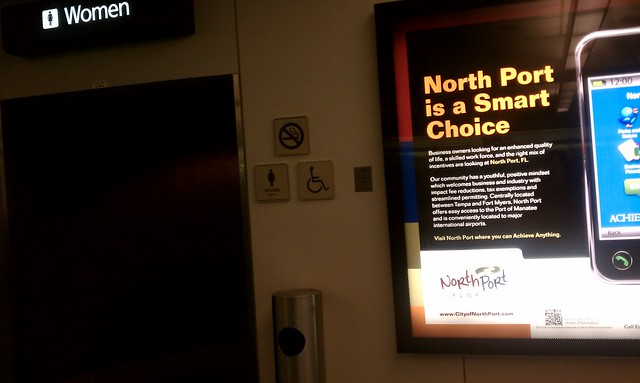
I am one of the few pioneers who have tried to scan QR codes, no matter what. I have squatted in front of a display to carefully align my phone with a code. I have disregarded many passers-by who had no choice than to walk around me.  I have blocked the path to the restrooms at a crowded airport, just to capture that special shot.
Poorly situated info dispay at thr Orlando airport

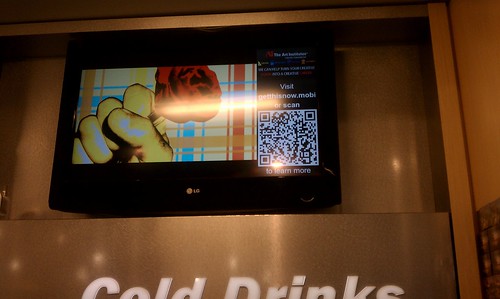
I was so intent on capturing one QR code that I stood on my tip-toes in front of a large refrigerated drink section of an airport convenience store full of thirsty people. I didn't care if I blocking the aisle to the drinks!  I just had to watch the ads cycle on a dynamic display for the right moment to scan and snap the QR code. 

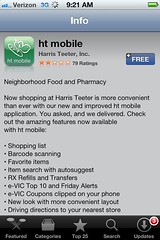
My last QR encounter was at a Harris Teeter supermarket in Charlotte, NC. The purpose of the QR code was to link customers to the store's mobile app.  It turned out to be a laborious process. It had little to do with the QR code or my iPhone's scanning software.  It had nothing to do with my ability to steady my iPhone and quickly capture a QR code.  It had everything to do with a poorly-planned spot for this transaction to take place.  Even though QR codes have been around for a while, it seems that little thought has been given to the user/customer experience at the "point of scan".


This QR code made me look especially silly.  I got a few strange looks from other shoppers entering and exiting the store. 

Imagine what I looked like as I approached the automatic sliding door!  After a sashaying around for a few minutes, I captured the code. I guess I was suffering from QR Code Fatigue by that point, because after I downloaded the mobile app, I left the store and forgot all about it.

App store and mobile app screen shots:


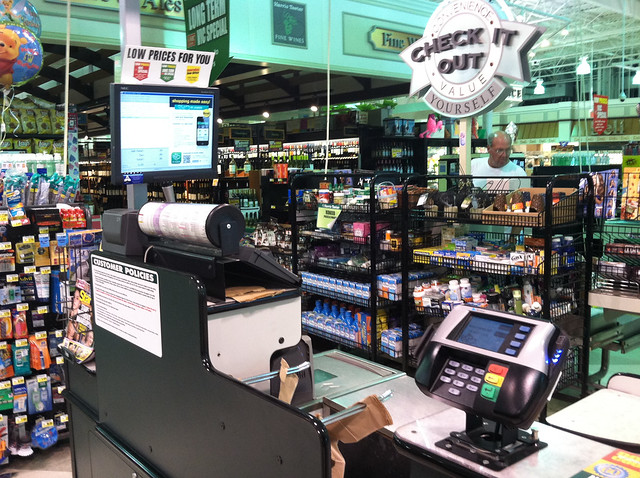
There was another option for scanning the Harris Teeter QR code. At the checkout counter, there was one located on the screen on top of the cash register.  It was not possible to reach over everything in order to scan the code.  Even if I could access the QR code while checking out, it wouldn't be wise. I'd be holding up the line, and no-one wants to be "that guy".

IMG_3240


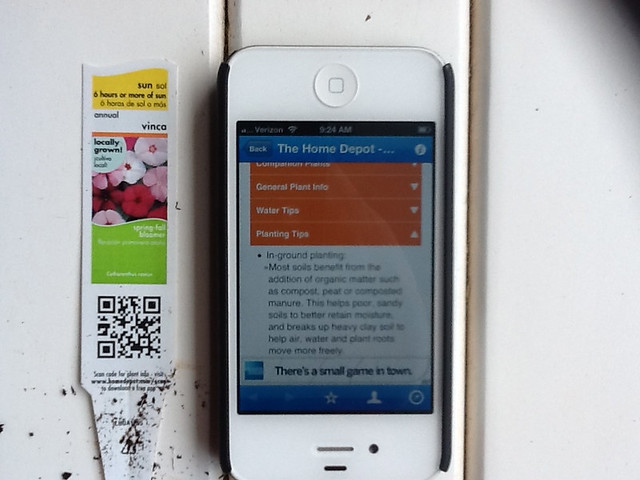
A couple of weeks ago, I decided to relax a bit and do some gardening. I noticed that every single plant had a tag, and every single tag had a QR code.  Instead of taking a break to sip some iced tea, like other neighborhood ladies,  I got my iPhone, wiped a plant tag clean (you don't want to scan a QR code obscured with garden soil), found a flat surface, and scanned. I spent too much time learning more than I ever cared to know about vincas and begonias.
IMG_0737

Poorly situated info dispay at thr Orlando airport

The following section is from one of my previous posts on this topic, reviewing my second encounter with a QR code at the Orlando airport. This particular QR code was on a display in a very crowded convenience store.

I spotted another QR tag!

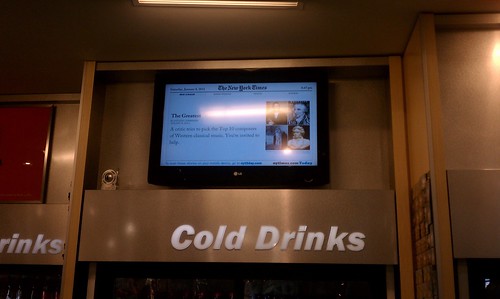
There were a few problems with this set-up.  First, the display was located on a wall close to a ceiling, making it very inconvenient to scan with my phone.  The page with the QR tag didn't stay up long enough for me to attempt to scan it, although waited around until it cycled back in view-  three times.  I gave up and took a picture instead, standing on my tip-toes with my arms extended over my head, the same position required to scan the QR tag, if it would stay put!


Another problem was that the display was perched above a high-traffic area, right above the  refrigerated drinks.  The only place to scan the QR tag was in a narrow aisle, behind the throngs of thirsty travelers making a bee-line to the cold drink section of the store.  I was in the way of a number of people in this bee-line.

What were they thinking when they decided that the best place this large display featuring a QR tag should be several feet above eye-level in this particular location?  

The displays in front of the store at the airport were located on either side of the doorway, at "body" level. This is a logical place to put a display.  Potential customers can view the displays without getting in the way of other travelers.  

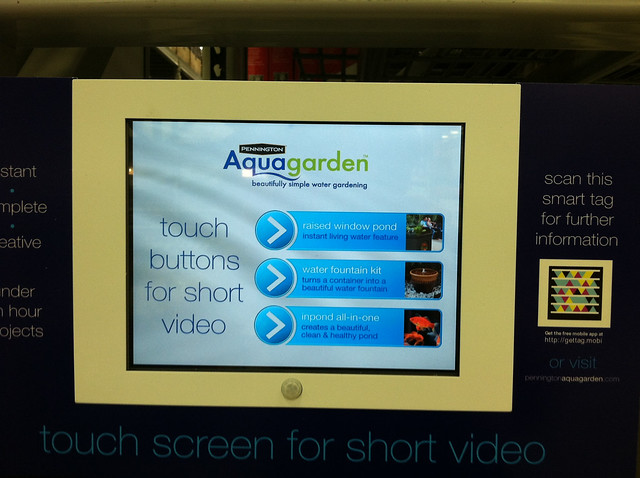
Here's a picture of one display, found at a garden center,  that provided an adequate user-experience.  Instead of a QR code, the display had a Microsoft Smart Tag. The display was located in a spot where I didn't feel silly. The tag was easy to scan, and it linked me to a website that had the same basic content as the touch screen below.  I could  "scan and go" if I was in a hurry, scan and look at the screen of my iPhone if I wanted to walk around the store, or stand in front of the display and watch the infomercials.
IMG_3174

The following picture is a screen shot of a site someone put up as a joke, no pictures, of course, because there are so few that do!  


Update 3/13
I was going through the drive-through pharmacy at CVS and spotted this QR code on the window. I asked the pharmacy technician what she knew about the QR code, and she said, "What QR code".  From our discussion, not much was known about this QR code, and no one to her knowledge had ever tried to scan it.  I tried, and failed to succeed.  


RELATED
Interactive Display with QR Tag: Close Encounter at the Orlando Airport
When The Web Meets The Real World: Moving Beyond QR Codes
Eric Savitz, Forbes, 8/4/11
"The 9 million users of the most popular QR code scanner for the iPhone scan just 4,000 QR codes per day."
How to Make It Easy for People to Scan Your QR Codes
Joe Waters, Dummies.com
Big box garden centers embrace QR tags
Garden Center, 5/9/11
GARDENING: QR codes can be a Gardener's Best Friend
Urban Domestic Diva, 6/11
Harris-Teeter Mobile Website

May 28, 2012

Interactive Music Challenge: The Reactable & the Reactable for Children with Autism Spectum Disorders

What I'd like to share today might be of interest to educators, techies, musicians, parents, and students. If you create a composition using the Reactable Mobile app and submit it, you might have a chance of winning your very own Reactable Live!  


Information about the challenge can be found on the Reactable website.


You can find information about creating music with Reactable Mobile for your phone or tablet (Android or Apple) on the Reactable Mobile site. I especially like that the company provides a load of support through the Reactable Community.


Acquisition of Joint Attention and Social Abilities of Children with Autism Spectrum Disorders

The Reactable provided the centerpiece of Lilia Villafuerte Bazan's work for her Master thesis.  Her project focused on the acquisition  of joint attention and social abilities of children with autism spectrum disorders through music. Lilia's work was through the Music Technology Group at Universitat Pompeu Fabra, under the direction of Dr. Sergi Jorda.   

I was delighted to see Lilia's presentation of her work, along with the video, during the recent CHI 2012 conference. 


Project website: 
http://www.villafuerte.info/ascchildrenandtuis
Master Thesis:
http://www.villafuerte.info/wp-content/uploads/2012/05/LiliaVillafuerte_MasterThesis.pdf


-Lilia Villafuerte Bazan

RELATED
REACTABLE LIVE

Comment:
If you follow this blog, you probably know that I am a school psychologist who has a background in technology, music, and related arts.  I spend much of my work week with young people who have severe autism and other disabilities. I also work at a magnet high school for technology and the arts.  I'd like a Reactable for students at both schools!