Showing posts with label history. Show all posts

Jul 11, 2012

Digitized History and Interactive Timelines: Lots of examples and links for your exploring pleasure!


One of my tech-savvy daughters is a history buff. She decided to research our family's genealogy, and through this process, has uncovered a treasure trove of interesting things during her on-line research.  

Technology has made it possible for historians, archivists, genealogists, antiquers, and other to digitally curate and share items on-line.  One example is the work of the 2 million-plus members of Ancestry.Com, a website that provides a fairly easy way for novices to create their own family trees, search digitized records, and share their findings with cousins, near and distant, about the stories they've come across along the way. (Please excuse the formatting problems!)

My daughter discovered that one of my great-great grandfathers worked as a conductor and yardman for the railroads before he became a miner and prospector, who apparently died penniless, according to an article she found in the Chronicling America website. This website is part of the Library of Congress and supported by the National Endowment for the Humanities. (The picture of my great-greet grandfather was taken from an article in the Salt Lake Tribune)

Screen Shot:  Chronicling America


Knowing that my great-great grandfather worked for the railroad in Utah led to the discovery of related information on-line. Below are two screenshots from the interactive timeline of the history of the Union Pacific railroad.  This website provides an opportunity for people to share their stories about the railroad's history. The timeline provides multiple means of accessing content related to the the railroad and the role of the railroad in the history of the United States.

Screen Shot: 150 Years: The History of Union Pacific


By clicking on the timeline, the viewer can dig in deeper into each specific era or location by viewing pictures, watching video clips, and reading text, as shown above. The timeline can be downloaded for use on iPad's iBooks 2 or on any computer with iTunes.


After my daughter commented that many of our relatives died at a very old age, without the benefits of the life-extending know-how of modern medicine, I wondered what old age might have been like for my elders. This led me to the Elder Web site, which provides an interactive timeline of the history of elder care.  The timeline links to a wealth of pictures and tidbits of information. Links include information obtained from the Library of Congress American Memory Collection. 

For those of you interested in timelines that focus on more recent events and history including the history of the arts, the following examples are fun to explore:

Ishkur's Guide to Electronic Music (swf), v2.5 (I'm waiting for 3.0)
Note: Ishkur uses colorful, strong language to express his viewpoints and opinions about musical trends.
History of Modern Music: All Genres (Guardian UK)
Interactive Modern Art Timeline
CNN's Interactive Map and Timeline of Iraq and Afghanistan Casualties "Home and Away"
New York Times:  10 Weeks of Financial Turmoil (the credit crisis of 2008)
New York Times: The History of Overhauling Healthcare
New York Times: European Debt Crisis
New York Times: Major Events in the Afghanistan War
Screen Shot: Hard Rock Cafe Interactive Memorabilia


RELATED
Digital Heritage
The American Memory Project
The Ninteenth Century in Print:  The Making of America in Books and Periodicals
Chronicling America
I take up my pen:  Letters from the Civil War
Digital NC: North Carolina's Digital Heritage
Digging Into Data Challenge and List of Online Data Repositories for Humanities and Social Sciences (Includes lots of links!)
U.S. Yearbooks (searchable via Ancestry.com)
What Was There: Digital versions of historical photographs of places are compared with locations on Google Maps, with the goal of creating a means to explore history through photography.
ImageFlow: Streaming Image Search (Microsoft)
Interactive Timelines using Timemap.js
Digital Storytelling Platforms and Multiple Perspectives:  A look at the work of Jonathan Harris (Food for Thought for Interactive Timeline Design)
List of Digital Preservation Initiatives (Wikipedia)

DIY Timelines (more to come)
Tiki-Toki
Dippity
Timetoast
The Best Tools for Making Online Timelines (Larry Ferlazzo)

Comment:
One unfinished project on my "Tech Bucket List" is a multidimensional, multidisciplinary. multimedia interactive timeline.  Although the concept is far-reaching, it would be a useful tool for students, historians, genealogists, and more.

Please excuse the formatting problems!


May 20, 2012

User Experience and Windows 8, link to Steven Sinofsky's post.

Steven Sinofsky is an author of an informative MSDN blog. His recent post about user experience and the new Windows 8 operating system provides an interesting, detailed "back-history" of the development of the Windows UI over the ages. Steven's post is worth setting aside a chunk of time to read and reflect!

Creating the Window 8 User Experience


BTW, the numerous comments from readers of Steven's post are worth skimming.

Aug 13, 2011

Interactive Digital Media on a Tablet: 1994 video from the Information Design Lab (lots of related "tablet" links)

Since I'm a fairly new owner of an iPad2, my first tablet, I've been having a blast using it with students at work as well as watching my nearly 9 month old grandson play around with it.  Although I am happy that I have this "innovative" technology at my fingertips,  I know that the concept of tablet computing has been a round for a very long time.


If you are curious to learn more about the history of ideas behind the tablet/iPad/eReader concept, take a look at the video below.  It features the work of Roger Fidler and his team at the Information Design Lab, reviewing their work between 1992-94.   Also explore the links in the "Related" section - I've included links to articles, a dissertation, and a book that mightof interest to those who are researching this topic.   (A must-read is Alan C. Kay's "A Personal Computer for Children of All Ages", written in 1972.)


The Tablet Newspaper: A Vision for the Future
Information Design Lab, 1994,  Knight-Ridder, Inc.


RELATED
History of the Tablet
Chandra Steele, PC Magazine, 8/7/11
A Short History of the Tablet Computer
Thom Holwerda, OS News, 1/15/10
A Personal Computer for Children of All Ages (pdf)
Alan C. Kay, Xerox Palo Alto Research Center, August, 1972
(Alan C. Kay came up with the concept of the DynaBook, basically an early version of the tablet PC/ iPad/eReader. I especially like the picture of students using Kay's version of tablets, located on page 2.  Be sure to take a look at the reference section.)
Tracing the Dynabook: A Study of Technocultural Transformation (pdf)
John W. Maxwell, PhD. Dissertation, Centre for Cross-Faculty Inquiry, University of British Columbia, November, 2006
Roger Fidler and his Early Vision of the Newspaper Tablet
Juan Antonio Giner, What's Next: Innovations in Newspapers, 1/4/10
The Man Who Imagined Tablets and E-Readers
Curtis Brainard, Columbia Journalism Review, 6/17/10
Roger Fidler, Journalism Futures Lab
Roger Fidler
The Tablet Newspaper: A Vision For the Future
Teresa Martin, Knight-Ridder Information Design Lab, CHI '95 Proceedings
Abstract: "The Table Newspaper: A Vision for the Future overviews tomorrow's portable information appliances and the ways in which we may interact with information. It explores the role a newspaper may have in the digital era and the form a newspaper may take as an electronic product."
The Media Business;  Knight-Ridder Shuts Down Research Lab
New York Times, 8/3/95
Below is a quote from the NYT article, written in 1995:

"Knight-Ridder Inc. has closed a research lab it established to explore electronic publishing alternatives like the flat-panel newspaper.
The Information Design Laboratory, which opened here three years ago, was developing a notebook-sized computer for receiving and displaying electronic newspapers. The electronic tablet weighed less than two pounds and displayed a screen image that looked like the front page of a newspaper. The lab never designed a product that was marketed by Knight-Ridder.
"I.D.L. made a valuable contribution to the company's long-range vision of electronic publishing and helped to further the flat-panel newspaper concept," P. Anthony Ridder, Knight-Ridder's chairman and chief executive, said Monday. Knight-Ridder plans to concentrate its electronic publishing efforts on existing technologies like the Internet and on-line services, Polk Laffoon, vice president of corporate relations, said."

May 28, 2011

NEWSEUM, a highly interactive museum in D.C. with an online component -I want to visit!


What is a newseum?

"The Newseum -- a 250,000-square-foot museum of news -- offers visitors an experience that blends five centuries of news history with up-to-the-second technology and hands-on exhibits.  Within its seven levels of galleries and theaters, the Newseum offers a unique environment that takes museum-goers behind the scens to experience how and why news is made."

"The Newseum is one of the most technologically advanced museums in the world. The Newseum ordered 100 miles of fiber-optic cable to link up-to-the-second technologies that include electronic signage and interactive kiosks, two broadcast studios, 15 theaters and a 40-by-22-foot high-resolution media screen."


Below are some examples of what visitors can experience at the Newseum, located in Washington, D.C.:


Bloomberg Internet, TV and Radio Gallery
-Newseum
Time Warner World News Gallery
-Newseum


The New York Times --Ochs-Sulzberger Family Great Hall of News 
Surrounded by the flow of information
The New York Times–Ochs-Sulzberger Family Great Hall of News
-Newseum
"Around, above and below, visitors to the Great Hall of News are surrounded by a continuous flow of news. Instant, breaking, historic news that is uncensored, diverse and free."


NBC News Interactive Newsroom


"In this 7,000-square-foot interactive gallery, visitors can select any of 48 interactive kiosks or experiences where they can immerse themselves in the many roles -photojournalist, editor, reporter, anchor — required to bring the news to the public. The gallery features eight “Be a TV Reporter” stations that allow visitors to choose from a variety of video backdrops, take their place in front of the screen, read their report from a TelePrompter and see themselves in action." -Newseum


NEWSEUM exhibits have an on-line component.  Here are a few:
Newseum Microsite (Great for use on an interactive whiteboard to introduce students to the museum.)

May 18, 2011

CHI 2011, Bill Buxton, and the Buxton Collection: Explore 35 years of interactive devices, online!

Bill Buxton is a researcher at Microsoft who focuses on Human-Computer Interaction and is known for his work in user experience design and natural user interfaces such as multi-touch surfaces.   His talk at the recent CHI 2011 conference, held in Vancouver, Canada, was an overview of the Buxton Collection, an on-line historical archive of interactive input devices spanning over the past 35 years.  


It was interesting to note that at the time of the presentation, the Vancouver Conference Center, where the conference was taking place, was having serious problems with the network/internet connections, and as a consequence, Buxton was not able to demonstrate the on-line version of his collection as planned.  

Not to worry.  The physical version of the Buxton's archive was on display during the conference, along with Buxton, who was happy to tell the story behind every device and gadget in the archive, with much enthusiasm. The slideshow below provides a glimpse of the Bill Buxton archive displayed at CHI 2011:


My Buxton Collection Slideshow, CHI 2011, Vancouver, Canada

Buxton's archive of gadgets comes with a rich history, accumulated over the years. Much of this history, until now, has resided in Buxton's head.   Holding and touching the items in the archive while listening to Buxton's passionate stories about each one, was unlike anything I had ever experienced.  His archive is a labor of love, and the interactive, on-line version of the Buxton Collection is his way of sharing his knowledge with the world.


During his talk, Buxton pointed out that in computer science programs, students are not required to have much exposure to the "history of ideas" in the field.  Huge chunks of work are often ignored in the literature,  and in some cases, the wheel is unknowingly reinvented, and this is something that must be addressed within the CHI community, according to Buxton. 


I agree.

RELATED
Previous IMT posts about Bill Buxton
Bill Buxton's Presentation Video: "A Little Tale about Touch" (Microsoft Worldwide Partner Conference, 2010)
Two good articles by Bill Buxton: The Mad Dash Towards Touch Technology; The Long Nose of Innovation
Buxton Collection
Buxton Collection, PivotViewer
Back to the Past: Bill Buxton Shows Off 36 Years of Tech Devices
Microsoft News Center, 5/9/11
Microsoft's Bill Buxton exhibits gadget collection 35 years in the making
Donald Melanson, engadget, 5/9/11
Bill Buxton's Haptic Input References (pdf)
Bill Buxton's website
Multi-touch Systems that I Have Known and Loved (Bill Buxton)
CES 2010: NUI with Bill Buxton

On Engineering and Design: An Open Letter Microsoft Research Principal Scientist Bill Buxton calls for engineers and user experience designers to learn to appreciate one another
Bill Buxton, Bloomberg Businessweek, 4/29/09

May 9, 2011

CHI 2011! - Today's Highlights from the ACM CHI Conference on Human Factors in Computing Systems

I'm happy to share that I was approved for a press pass for the CHI 2011  conference I'm attending in Vancouver, Canada.   (I was one of the organizers for a pre-conference workshop held on Saturday, "Child Computer Interaction: Workshop on UI Technologies and Educational Pedagogy" and will share more information from the workshop in future blog posts.)


The press pass will provide me the opportunity to meet a number of key thinkers/researchers related to the field of Human Factors/Human Computer Interaction.  Here are a few of today's press highlights:


A conversation with ...Howard Rheingold
CHI 2011’s opening session features Howard Rheingold, an acknowledged authority on mobile communications, discussing the evolution and future of social media in teaching and learning. Rheingold, the author of Smart Mobs, innovator, and Stanford University lecturer, explains, "use of social media in higher education teaching sessions can provide opportunities for innovative and meaningful interactions that extend far beyond the traditional face-to-face classroom experience." -CHI 2011


A conversation with...the "PaperPhone Team"
Hang up the iPhone - here comes the paper phone: Bending the device will allow users to make calls and play music Gillian Shaw, Vancouver Sun, 5/5/11
UltraThin 'PaperPhone' bends to user's will Emily Chung, CBC News, 5/5/11


An Interview with Conference Organizers and Interaction Researchers ...
Desney Tan, Conference Chair and Microsoft Research
Bo Begole, Technical Program Co-Char and XEROX Palo Alto Research Center (PARC)
Wendy Kellogg, Technical Program Co-Chair and IBM


I can't wait until 4:00 PM - a special tour of the interactive demonstrations - here is the information I received from the CHI 2011 PR coordinator:


SPECIAL PRESS PREVIEW of the Interactive Demonstrations 4:00 - 5:30 PM  INTERACTIVITY PRESS TOUR
"This event will be highly visual & interactive http://chi2011.org/program/interactivity.html Press Release: Interactive Technologies Showcased at ACM Conference on Computer-Human Interaction http://chi2011.org/press/presskit/interactivity.html"


I'm sure this will be interesting:
Collecting the History of Interactive Devices
"An exhibit of interactive devices from the past 35 years that point to ways of interacting with computers in the future. First shown at the Vancouver Art Gallery in 2004 (and updated for 2011), the collection documents the history of pen computing, pointing devices, touch technologies, and illustrates the nature of how new technologies emerge." - CHI 2011


Stay updated!
To keep up with my blog posts during the CHI 2011 conference and afterwards, sign up for the RSS feed.  Another option is to follow me on Twitter,  and you'll receive an automatic "tweet" with a link whenever I post something on this blog. 

Feb 9, 2011

"Where am I in this information space?" Bifocal Display Concept Video, 1982, via the Interaction Design.org Encylopedia

The following video about the Bifocal Display concept is an interesting look at how a set of ideas unfolded in the early 1980's. These ideas took flight and influenced many of the design concepts we view as "new" today.


The video was posted on the on-line Interaction Design Encyclopedia, a free, open source multimedia resource that includes a range of chapters written by leading researchers and practitioners from fields related to Human-Computer Interaction (HCI), Interaction Design (IXD), User Experience (UX), Information Architecture (IA), Usability, and more.


"People want to see context...." -Robert Spence

1980's Paper Prototype of  Carousel Concept (screen shot from video)
"Let's apply this idea to my in-tray,  an information that is quite varied, and often full of surprises..." -Robert Spence


For more information, see the article by Robert Spence and Mark Apperley on the Interaction -Design.org website.  Scroll down to "The Bifocal Display Explained" for great sketches of the concepts discussed in the video.  


Also take a look at the recent videos from InteractionDesign.org related to this topic.  What a great way to gain insight about the design and development process!


Video 1: Introduction to the Bifocal Display
Video 2. Main guidelines and future directions
Video 3: How the Bifocal Display was invented and launched


REFERENCE
Spence, Robert and Apperley, Mark (2011). Encyclopedia entry on Bifocal Display. Retrieved 9 February 2011 from Interaction-Design.org: http://www.interaction-design.org/encyclopedia/bifocal_display.html


RESOURCES
Interaction-Design.org YouTube Channel
Interaction-Design.org

Mar 19, 2010

Barriers to Technology Integration - Hello! It's NOT always the teacher: One "classroom for the future" teacher's recent story about barriers to technology integration in her high school history class

If you work in education, you probably heard the term, "21st Century Schools". All teachers must become skillful integrators of technology and pedagogy, and this will be the solution to cure all of public education's ills, right?!

Many teachers DO embrace technology, but find that despite the technological revolution, there are many barriers to moving forward.

The link below is to a 2009 thesis written by Barbara J. Wismer, a teacher who devoted much of her her life, 24/7, as a Classroom for the Future teacher while working on her Master of Education degree. Her classroom was provided with a set of laptops, an interactive whiteboard, an LCD projector, a video camera, a digital camera, and an assortment of applications.  In her thesis, Ms. Wismer describes numerous barriers that she faced nearly every day during her study.  These are barriers that hold true throughout many schools in the U.S.  Ms. Wismer provides a personal description of her experiences, a breath of fresh air when compared with most academic papers that have crossed my path:

Wired Students, Motivated Learners:  The Effects of Classrooms for the Future Technology on Student Motivation and Achievement

Here are a few examples from the "Problems and Shortcomings" section of the thesis (p. 89-96):

"The “right click” function is disabled (it is also disabled for teachers, too). This made the copying and pasting of pictures and information more difficult."


"Flash drives (USB saving devices) are the biggest gripe among teachers in my district. We are not allowed to insert a flash drive into a school computer; it can result in immediate dismissal. The technology department places such a restriction (the staff has all the same restrictions as students) on us out of fear that someone will bring in a virus or operating system that could compromise our school district’s system. It is frustrating to be treated like we are children. There is constant uproar in the district to treat the teachers like adults and respect the decisions we make – like not abusing the right to use a flash drive. Many of the saving issues that I brought up previously could be avoided with the permission to use a flash drive."


"Internet connection and network connection issues plagued us the entire semester. There were some days when half of the class would lose their connection and any unsaved work would be lost."


"By why is Google Images blocked? Why are all blogs (even educational ones) blocked? Why can I not download a video from United Streaming or a flipchart from Promethean Planet? We were told that if we wanted any of those things downloaded, we were to provide a list to the technology department. I did that and was told that I could download them myself at home and then save them to a CD-ROM and bring them in to use."


"The only complaint that I would have is that about half of the teachers that have the equipment actually use it. The other half just lets the equipment sit in a closet. I have found that those teachers only signed up to be part of the Classrooms for the Future program to have a laptop cart permanently in their room."


I had no idea that teachers could be restricted from access to the right-click functions of their mice at work, and could be fired for inserting a flash drive into a school's computer!   Both restrictions had a negative impact on Ms. Wisner's ability to do her job with efficiency.


There is a long road ahead.


RELATED


21st Century Tech for 21st Century Schools
(Mark Prensky, Edutopia)
Classroom for The Future
Partnership for 21st Century Skills
National Educational Technology Plan 2010

Apr 4, 2009

Put-That-There: Voice and Gesture at the Graphics Interface and more Blasts from the 1980's HCI Past


bigkif's information about "Put-That-There" about Put-That-There gives a good description of this video:

Put-That-There at CHI '84

"In 1980, Richard A. Bolt from MIT wrote Put-that-there : voice and gesture at the graphics interface. It was a pioneering multimodal application that combined speech and gesture recognition.

This demo shows users commanding simple shapes about a large-screen graphics display surface. Because voice can be augmented with simultaneous pointing, the free usage of pronouns becomes possible, with a corresponding gain in naturalness and economy of expression. Conversely, gesture aided by voice gains precision in its power to reference."

Richard A. Bolt "Put-That-There": Voice and Gesture at the Graphics Interface
(pdf) SIGGRAPH '80

Here is another blast from the '80's:

Kankaanpaa A. FIDS- AFlat-Panel Interactive Display System IEEE March 1988 IEEE Computer Graphics Applications(Nokia Information Systems)

"Although the needs and expectations of these various users are very diverse, they all have a common requirement: more natural and easier methods for communicating with the computer than are available today. Furthermore, they do not want to interact with the computer; they want to communicate with the application they are using. They do not want to use computer jargon; they want to use the same natural methods that they use when they perform the same tasks without a computer."

“We believe that only three of the flat-panel technologies described above, namely LCD, EL, and plasma, will be sufficiently advanced for mass production within this decade.”

Bill Buxton was working on multi-touch and gesture interaction in the 1980's, but his dreams did not become a reality until this century, for a variety of reasons. He shared his thoughts about the paradox of the speed of technology in a presentation at the 2008 IEEE International Solid-State Circuits Conference:Surface and Tangible Computing, and the “Small” Matter of People and Design”(pdf)

‘Carrying on from an earlier thesis in our department (Mehta , 1982) , we built a tablet that was sensitive to simultaneous touches at multiple locations, and with the ability to sense the degree of each touch independently (Lee, Buxton & Smith, 1984). We stopped the work in late 1984 when I saw a much better implementation at Bell Labs – one that was transparent and mounted over a CRT. The problem was that they never released the technology, so, the whole multi-touch venture went dormant for 20 years. But, I never stopped dreaming about it. (Lesson: don’t stop your research just because someone else is way ahead of you. It might be transitory, and anyhow, remember the story of the tortoise and the hare.)

“I spoke earlier about the paradox in the speed of technology development it goes at rocket speed, but that of a glacier as well; Simultaneously! In the perfect world, this would be ideal: we could go through several iterations of ideas so that by the time the new paradigms of interaction, such as Surface and Tangible computing are ready for prime time, everything will be in place. But, the rapid iteration is more directed at supporting the old paradigms faster and cheaper, rather then helping shape the new ones. The reasons are not hard to understand. From the perspective of circuit design, the problems are really hard. So, one has to have one’s head down working flat out to get anything done. But, there is a side of me that motivated this paper that asks, If it is so hard, then isn’t it worth making sure that the things one is working on are things that are worthy of one’s hard-earned skills?”

SOMEWHAT RELATED

Bill Buxton's Haptic Input References
(pdf)

Nov 22, 2008

Rome Reborn Update: New Google Earth layer of Ancient Rome - Great Idea for Engaging Interactive Whiteboard Activities

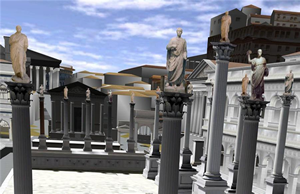
Steven Musil's recent article in CNET discusses Google Earth's 3-D view of ancient Rome. The project is an outgrowth of Rome Reborn, the effort of an interdisciplinary, international team of people, including computer scientists, artists, archaeologists, and historians from UCLA, the Politecnico di Milano (Italy), and the Institute for Advanced Technology in the Humanities at the University of Virginia in Charlottesville.

Visitors can explore inside the city's buildings, and obtain related historical information through pop-up windows. The 3-D interaction is great on the large screen or interactive whiteboard.

I posted about the Rome Reborn

Below is the "how-to" video:


Google Earth's Ancient Roman Holiday

Rome Curriculum Competition for Educators
Prize Package:

Apple MacBook laptop
Digital classroom projector
Digital camera
3D Navigation mouse
$500 in gift cards to Target or Office Depot
Engraved Google "Top Educator" plaque


"We're accepting curricula from all grade levels and K-12 subject areas including art history, math, social studies, physics, and philosophy, so whether you teach 5th grade art or high school engineering, there's glory and a nice prize package waiting for you."

Rome Example

Related:
Digital Rome

Jun 28, 2007

Jun 18, 2007

Direct link to the Rome Reborn 1.0 website

I did a little hunting and found the main website for Rome Reborn 1.0, at the Institute for Advanced Technology in the Humanities at the University of Virginia. Here is a blurb from the website about the history of Rome Reborn:

"From 1997 to 2007 the UCLA Cultural Virtual Reality Laboratory (CVRLab), the UCLA Experiential Technology Center (ECT), the Reverse Ingineering (INDACO) Lab at the Politecnico de Milano, and the Institute for Advanced Technology in the Humanities (IATH) of the University of Virginia collaborated on a project to crate a digital model of ancient Rome as it appeared in late antiquity...."

News video about Rome Reborn:


Links:
UCLA Cultural Virtual Reality Lab
UCLA Experiential Technology Center
Institute for Advanced Technology in the Humanities
Politecnico di Milano

Rome Reborn, Digital Rome: 3D animated history and archaeology

A recent article posted by Tracy Staedter on the Discovery News website highlights the Rome Reborn project. Rome Reborn is a 3-D re-creation of Rome as it stood in 320 A.D. The project has involved an interdisciplinary, international team of people, including computer scientists, artists, archaeologists, and historians from UCLA, the Politecnico di Milano (Italy), and the Institute for Advanced Technology in the Humanities at the University of Virginia in Charlottesville.

According to the article, Rome Reborn (Digital Rome) will be teaching tool as well as part of an on-line 3-D peer-reviewed journal, a place for researchers to publish and share their work on the project over time.

Here is a link to another detailed article on Ian Foster's blog about Rome Reborn/Digital Rome: http://ianfoster.typepad.com/blog/2007/06/digital_rome.html


On a related note, I am waiting in great anticipation for my Novint Falcon 3-D haptic game controller. Wouldn't it be great if we could provide people with visual impairments the chance to experience Rome Reborn in 3-D using the Novint Falcon? For more information, visit the Novint Falcon.