Showing posts with label internet TV. Show all posts

Dec 9, 2011

Quick Link: The Remote- Death by Voice Control?

Voice Control, the End of the TV Remote? Samsung, LG, and others are racing to bring voice control to the TV Set 
Peter Burrows and Cliff Edwards, Bloomberg Businessweek, 12/7/11


"Most consumers’ first opportunity to talk to their TVs—and have them listen—will be through voice-enabled apps for their smartphone or tablet."

I look forward to seeing if/how Apple TV uses Siri as a remote control!


Product Details
Picture from Amazon.com
RELATED
Jakob Nielsen, Alertbox, 6/7/04  
(A great read, still holds true in 2011!)

Lynn Marentette, Interactive Multimedia Technology, 10/12/10

Harry Brignull, 90 percent of everything, 10/6/10

Bad hospital TV remote control:

Instructions for my last remote control:

Feb 6, 2011

Another close encounter with in-store digital display marketing at Best Buy, bad internet TV controllers, bowling with the Kinect, and more...

Not long ago I visited a Best Buy. While I was there, I wanted to play around with the Kinect, but the demo system hadn't arrived.  As I wandered around the store, I encountered quite a few digital displays, part of  Best Buy's recent in-store digital media marketing effort.  I later shared my experience in a blog post,  Close Encounter with "Best Buy On": Example of a multi-channel marketing approach using in-store digital media that includes an on-line magazine.  


During today's visit to Best Buy,  I noticed that there were more display centers in various departments in the store, and many of the displays had useful and informative content. The Kinect demo was up and running, too.


Within the store,  I noticed a strong emphasis on HDTVs with internet capabilities. I  was hoping that the new Internet HDTVs would come with user-friendly touch-screen controllers, or at least an app for use on touch-screen smartphones, iPads, or other touch-screen tablets. 

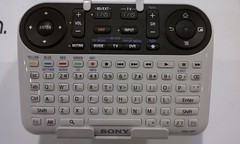
What I found was disappointing.  On display were traditional-looking multi-button remote controllers, controllers that looked like PC keyboards,  and of course, Sony's confusing multi-featured contribution to the Internet TV scene.


None of the controllers seemed to be easy-to-use, or capable of supporting web-navigation and other web interactions on HDTVs from a distance, especially when the goal is to watch movies and video from a recliner in a darkened family room.  


What sort of user-centered design or usability studies were in place during the hatching of Sony's Internet TV controller?!  (For more about bad remote controls, one of my pet peeves,  see  "Oh! No! Sony's "Mother of Remote Controls" for Google TV, 74 Buttons and Counting")


Below is a partially annotated slideshow of pictures I took of some of the displays and other things I encountered at Best Buy.  Enjoy!


Close Encounter with Kinect Bowling
It wasn't easy trying to bowl and take video with a phone at the same time! 
(Please excuse the shaky video effects and the view of my fingers.)

Oct 12, 2010

Oh! No! Sony's "Mother of Remote Controls" for Google TV. 74 Buttons and Counting.

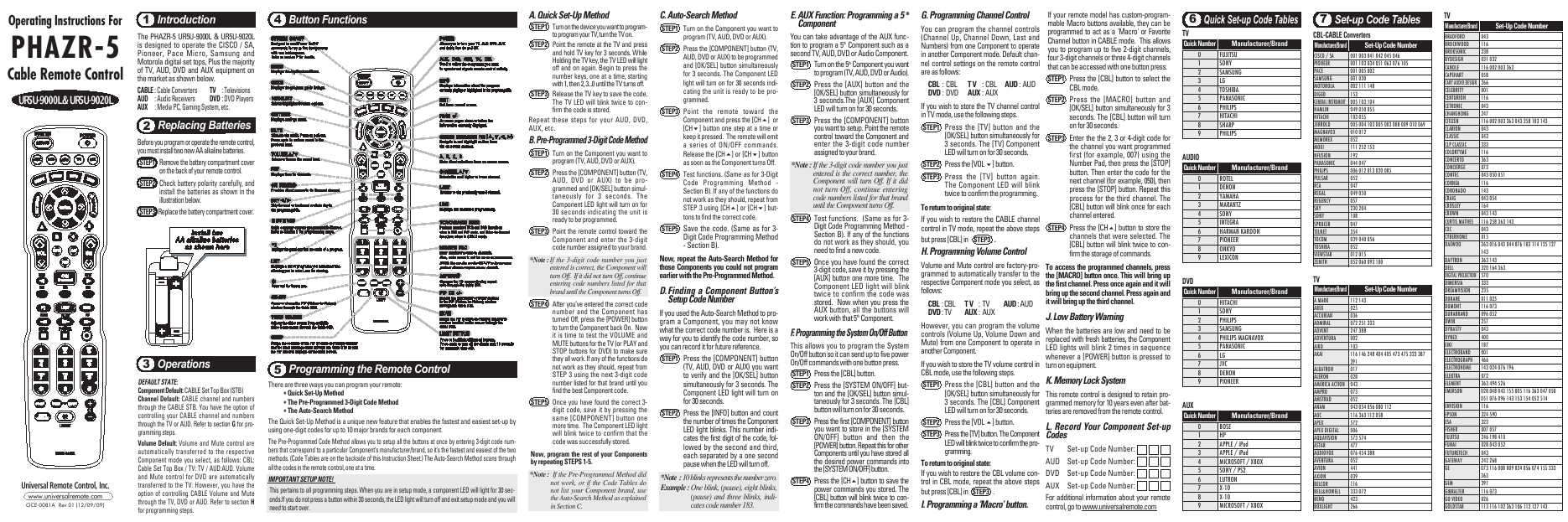
Today we switched from DISH to Time Warner Cable, and tonight I had to battle with a new remote control, the UR5U-8780L.  The experience with this remote led me to search for something better. What a coincidence!  In this day and age of touch-screens,  I was hoping for something better than....


Sony's Mother of Remote Controls!

-From the SonyStyle website: Television, meet internet.

I first learned of this complex addition to the world of TV/Internet surfing from an article and a video in a recent article in Engadget:  Sony's Google TV controller outed on ABC's Nightline (video) Ross Miller,10/5/10.  Harry Brignull also posted about the new controller- Sony, Sony, what have you done?
(Harry is a UX Consultant at Madgex, and author of the 90percent of everything blog.)


ABC Video, via engadget

It is 2010, and with TVs connected to the internet, we'll be interacting with content in ways we could only dream of in the recent past.  Interactive TV is here.  Do I really have to push a lot of buttons in order to have the best "interactive" experience?  


OTHER OPTIONS
Xfinity Remote Prototype for the iPad


Turn Your iPhone into a TV Remote Samuel Axon, Mashable/Apple
L5 Remote: Turn your iPhone or iPod touch into a universal remote control:
L5 remote


Not Yet Available:  Vizio's XRT100 touchscreen remote
Vizio_touch_remote.jpg

My Fancy New Remote, Instructions Included:

Dec 17, 2009

WebTaps HDTV and Touch-Screen Web Browser: Share a view of the web on your HDTV from your family couch!

Wasn't there a moment about ten years ago when we thought the next wave of the Internet would arrive on our televisions?  


A new wave is on the horizon, now that more homes have large flat-panel HDTVs!


With interactive TV programming and the buzz about anywhere, anytime TV on our mobile devices, it just seems right to have a chance to snuggle up with loved ones around the family room HDTV and experience some happy web-sharing moments, as depicted in the cozy picture below from the WebTaps website:


WebTaps HDTV PreviewWebTaps Touch PC Screen Preview

So how do you interact with the giant web?  According to information on the website, you can use your wireless mouse, your TV remote control, or choose from one of the following devices, available for purchase from the WebTaps Accessories Store:
Loop Pointer In-Air Mouse for PCs & Macs connected to TVs & ProjectorsLogitech MX Air Rechargeable Cordless Air MouseKensington SlimBlade Trackball Mouse with Bluetooth Wireless (Graphite) K72281USWavit 3D PC remote for the InternetGyration GYM1100NA Air Mouse GO Plus

There is too much to summarize, so here is a copy of the press release, from Steaming Media:

WebTaps Releases HDTV Web Browser

WebTaps announces the availability of the first HDTV web browser with integrated intelligent virtual keyboard and screen scaling technology


Rockville, Maryland (December 17, 2009) -

WebTaps, a developer of web browsing software for HDTVs and touch screen PCs, today announced the availability of the WebTaps HDTV Web Browser. The browser is designed to be used from across the room in a TV viewing environment to augment or replace the content otherwise available on the HDTV. WebTaps offers the only HDTV web browser that automatically scales web content to the full size of the HDTV screen and includes a truly intelligent virtual keyboard. The patent-pending intelligent virtual keyboard knows when and where to appear on-screen so that text can be easily entered while watching from across the room.

"WebTaps has finally brought the full internet, including access to every website, to the biggest and best screen in the home - the HDTV," said Scott Lincke, CEO of WebTaps. "WebTaps enables people to sit back and comfortably access great sites like Hulu.com, Facebook, YouTube, and Google. They can easily find content and sit back to watch together with their friends and family instead of staring at a laptop screen. WebTaps really transforms how people can use their HDTV by bringing an infinite supply of content, unlimited by their cable company or over-the-air TV signal."


To get started, users of PC-connected HDTVs download the free software installer from www.WebTaps.com. No user signup is required. The user simply selects their country and language and the software is ready to use. A localized content guide is presented, showing great content sites. Alternately, users can enter any web address or search any of the leading search engines.

WebTaps plans to distribute its products through retailers and PC OEMs in 2010. "We are pleased by the reaction to our products," said Scott Lincke. "Web browsing on HDTVs saves people money spent on premium services and they tell us that it gives them even more functionality than their DVR since they don't have to think ahead about what they want to record. Suddenly anything available on the web can be watched on their big screen TV."


WebTaps HDTV Web Browser product evaluation kits are available for qualified press personnel. In addition, WebTaps will have representatives available to answer further questions at the Consumer Electronics Show in January, 2010. Please contact WebTaps at pr@WebTaps.com for more information.

###

About WebTaps Inc.


WebTaps Inc. develops technology and products that enable web browsing on HDTVs and touch-screen PCs. The company offers its solutions for sale directly to consumers and for licensing to PC OEMs and service providers. WebTaps standard version is available as a free download. Additionally a premium version is available with or without a WebTaps wireless remote control. Further information about WebTaps and the WebTaps HDTV Web Browser can be found at www.WebTaps.com.

The names of actual companies and products mentioned herein may be the trademarks of their respective owners.


WEBTAPS INC.
Editorial Contact:
Scott Lincke
(202) 713-5620
pr@WebTaps.com